Visa Multi-Channel Platform
The Product: VMCP
Visa needed a way to provide security and convenience features for all it’s cardholders, some of which were essential to maintain the leading transaction security and fraud protection the Visa brand is built on. Visa also had complexity in its relationships with different banks and credit unions who issue Visa cards around the world, which ranged a wide spectrum, and were governed by well-stablished business agreements.
Visa was only able to offer services directly to consumers for a small set of the Visa cards issued. Major banks had typically developed complex products and services that included their own apps and sites, while smaller card issuers like community banks typically offered limited or no options, and relied more on Visa and it's network for services.
Quick Facts
Timeframe
05/2015 – 11/2015(6-mo.contract)
Product
Multi-Channel Platform (VMCP)& Visa Consumer Alerts
Organization
Visa Digital Solutions
Team
3 UX, 1 VD
Tools
Photoshop, Illustrator
Role
Sr. UX Designer
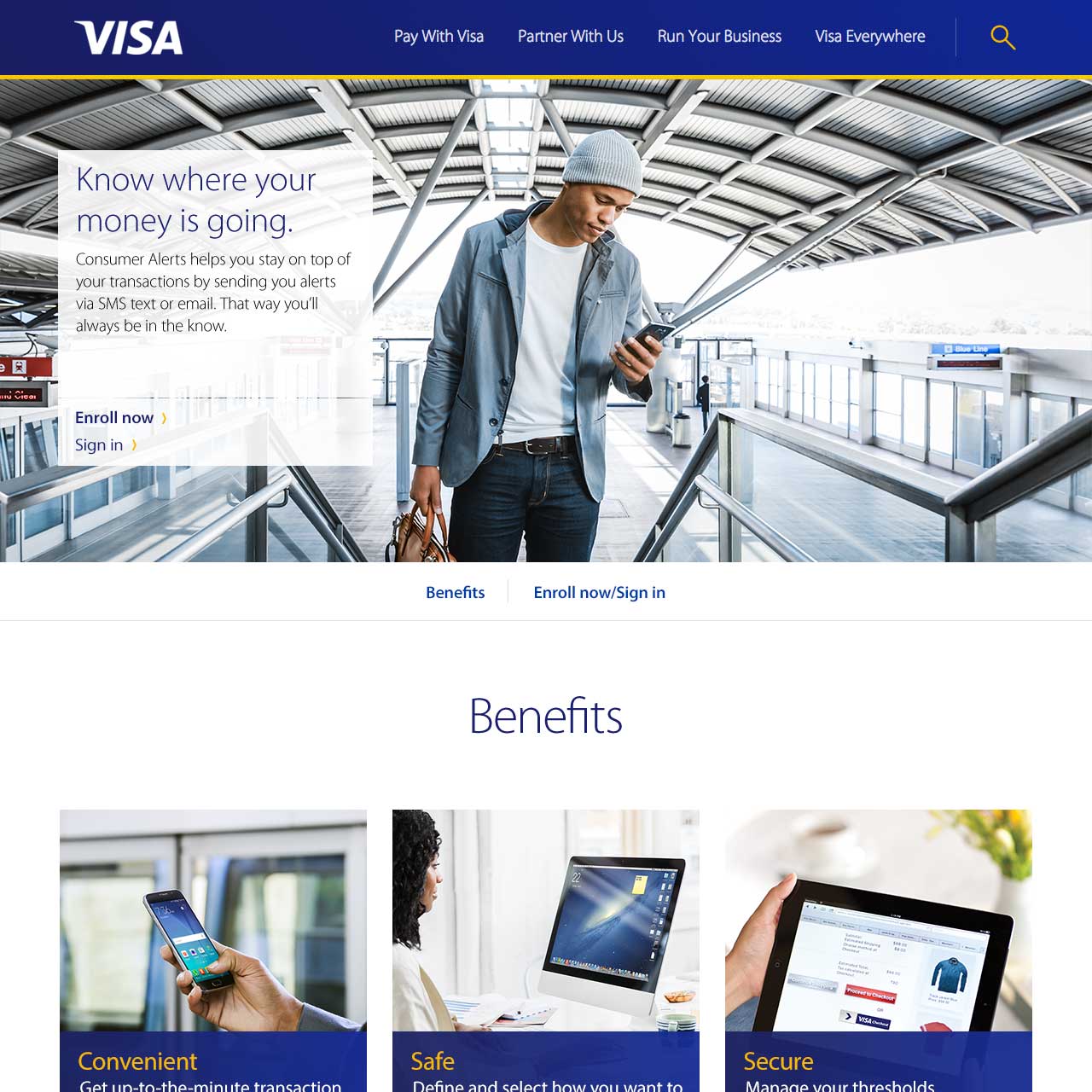
Landing page mockup, Visa Consumer Alerts product.
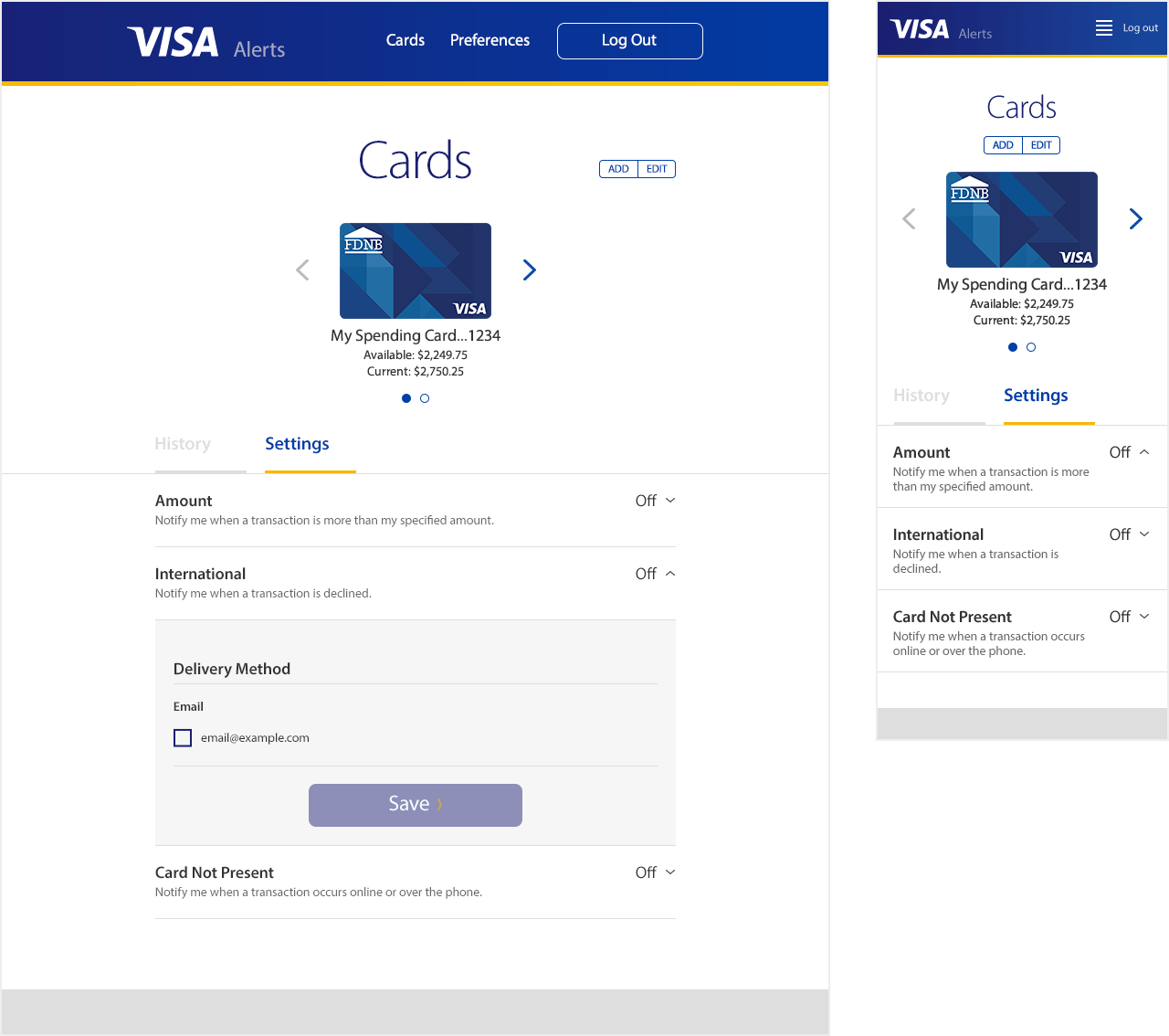
Alert settings screen, responsive web mockups, desktop and mobile.
White Label Solution
The solution was to develop a highly configurable white label product, which offered a la carte features and different tiers of branding configuration. Sophisticated card issuers like Chase could build and offer their own solution, while those with less resources could purchase a full suite of functionality, or only what they needed to meet Visa’s requirements for protection and alerts. Some cards were eligible for support directly through Visa, and a Visa branded version would be made available to those card holders directly, called Visa Consumer Alerts. The application was called the “Multi-Channel Platform” because it was simultaneously designed and developed for native iOS, Android, and Responsive Web to look and behave as similarly as possible on those systems.

Mockup branding, "FDNB."
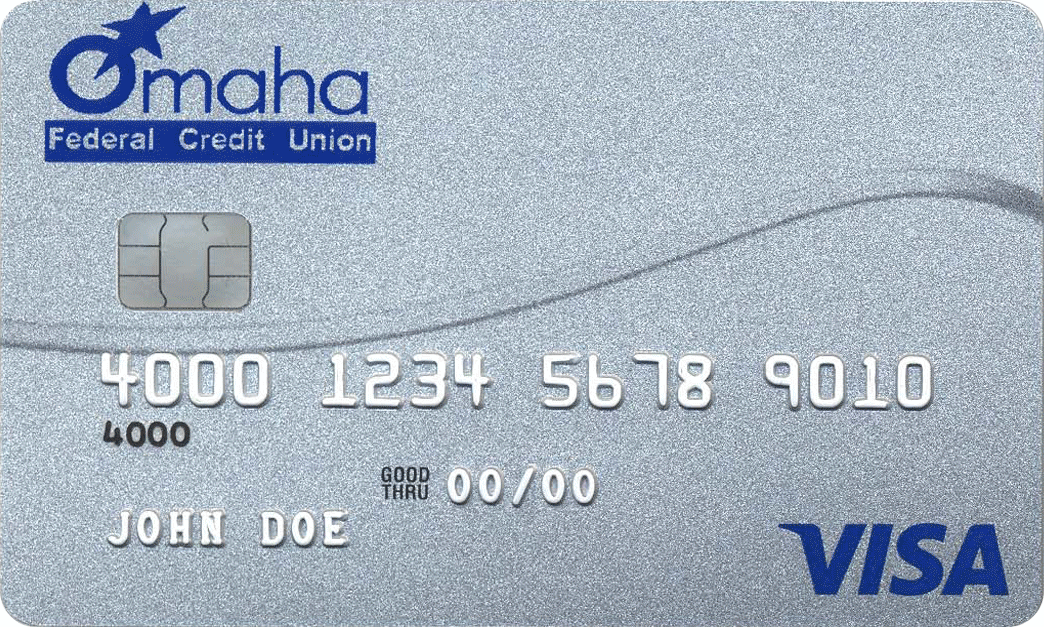
Issuer branding, example.
The Team
A Lead UX Designer ran the project, and handled collaboration with the Android development team. She had a strong background designing for mobile, though was not strong with responsive web. I managed development with the Responsive Web engineering team, which was mostly located in India except for a PM and Lead Developer in San Mateo. A third UX Designer was point person for the iOS dev team.
A Senior Visual Designer owned branding and the visual style system, and was responsible for ensuring consistency across platforms. He produced all of the visual design mockups to support Android development, which set the visual standard. Myself and the other UX Designer created mockups to support Responsive Web and iOS sprints, respectively, with pixel-perfect screen mockups and interaction specifications.
All four designers collaborated to design workflows, interactions, and features. As the UX designer supporting RWD, I adapted the mobile workflow wireframes to RWD wireframes and edge cases. Agile sprints kicked off across all three dev teams every two weeks, and took on new features from the Product Roadmap. I supported the Lead UX Designer in conversations with the Product team, to understand feature priority, edge cases, and technical constraints.
My Contributions
- Screen layout & interaction design
- Dominant & edge case workflows
- Wireframes
- Design team collaboration
- Product team collaboration
- RWD Engineering collaboration
- Engineering mockups & specifications
- Prototype user testing & assessment
Card Services For Card Holders
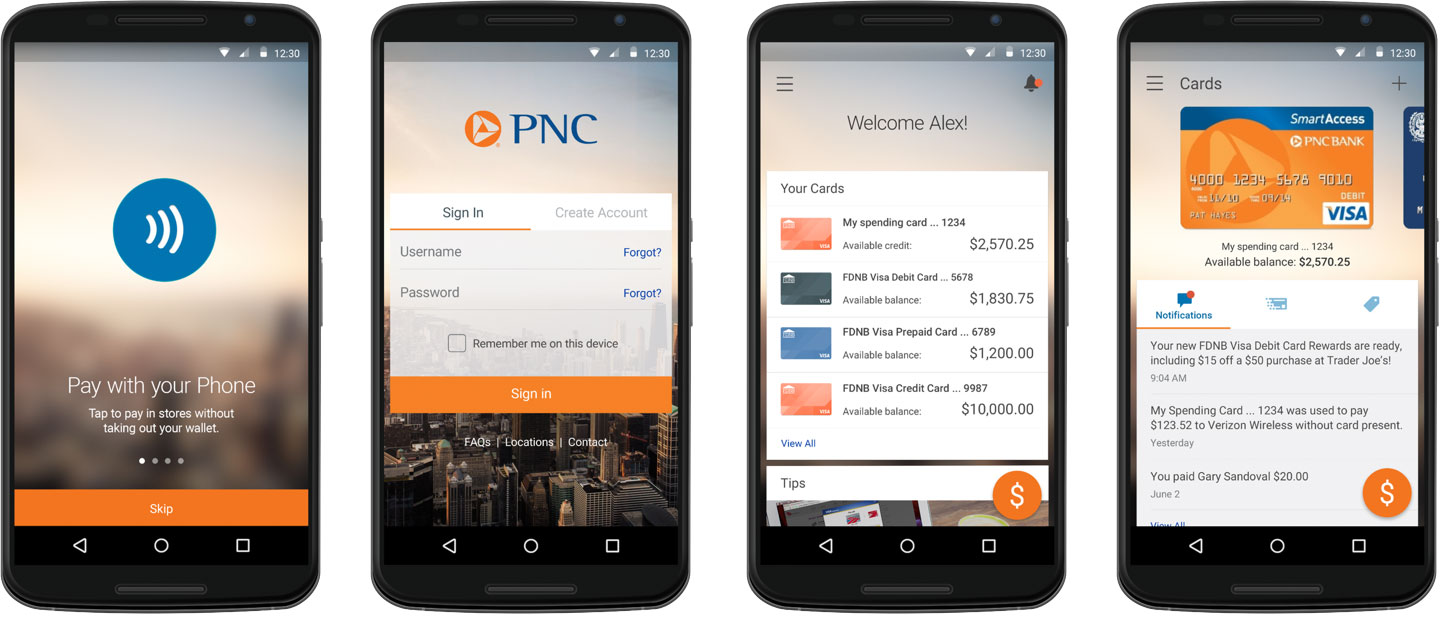
Convenience and security features for managing all the user's Visa cards in a digital wallet.
Not A Banking App
Circa 2015, smartphones, smart watches, wearable technology had become a thing – an actual thing. People and Product Designers alike were wondering how technology and apps could change the way we do things. It seemed obvious our smart, connected devices should allow us to deposit a check, receive a payment, or make a payments at a store register, but the details hadn't been worked out (obviously, still a work in progress). Companies were scrambling to lead the business of how people transact their money, and after years of becoming synonymous with "plastic," Visa needed to become a digital token. A click of a button – a secure, easy-to-manage, and preferred click of a button.
Mobile First, Desktop Too
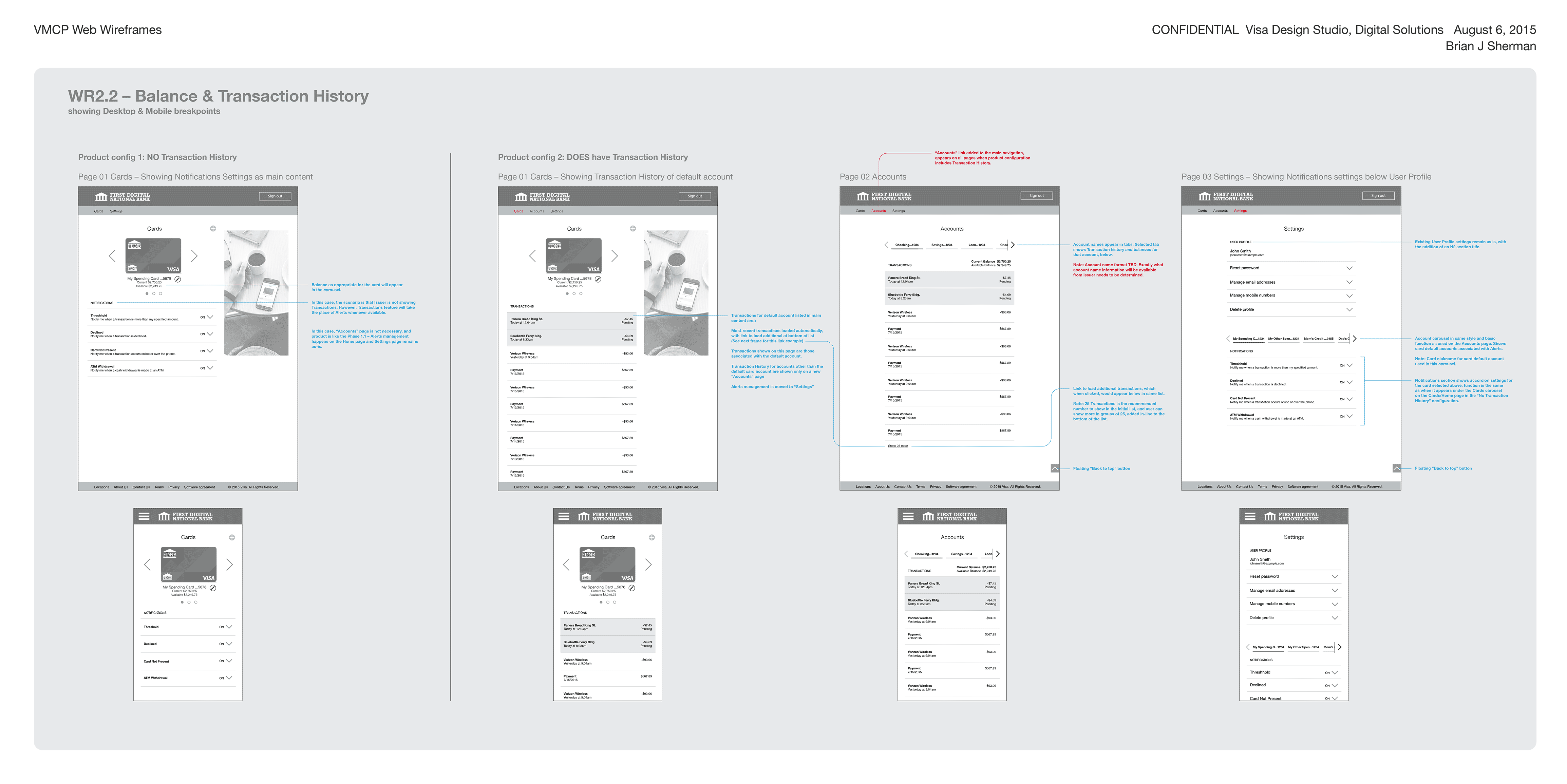
Cards, Accounts, and Settings: Web wireframes for key product screens, showing two different product configurations, for desktop and mobile break points.
Mobile, Mobile Web, & Desktop Web
The mobile use case (both Android and iOS) had a more complicated product roadmap than responsive web, and included richer features that were not expected from a Desktop experience such as pay in store, or use of the camera to deposit a check. Still, it was essential to offer the ability for users to manage features like Alerts, Add a Card, or Suspend Card using a web browser. The goal was to have consistency of experience across all platforms, thus UI and Interaction schemes like carousels or menus that worked well on mobile were carried over to responsive web.
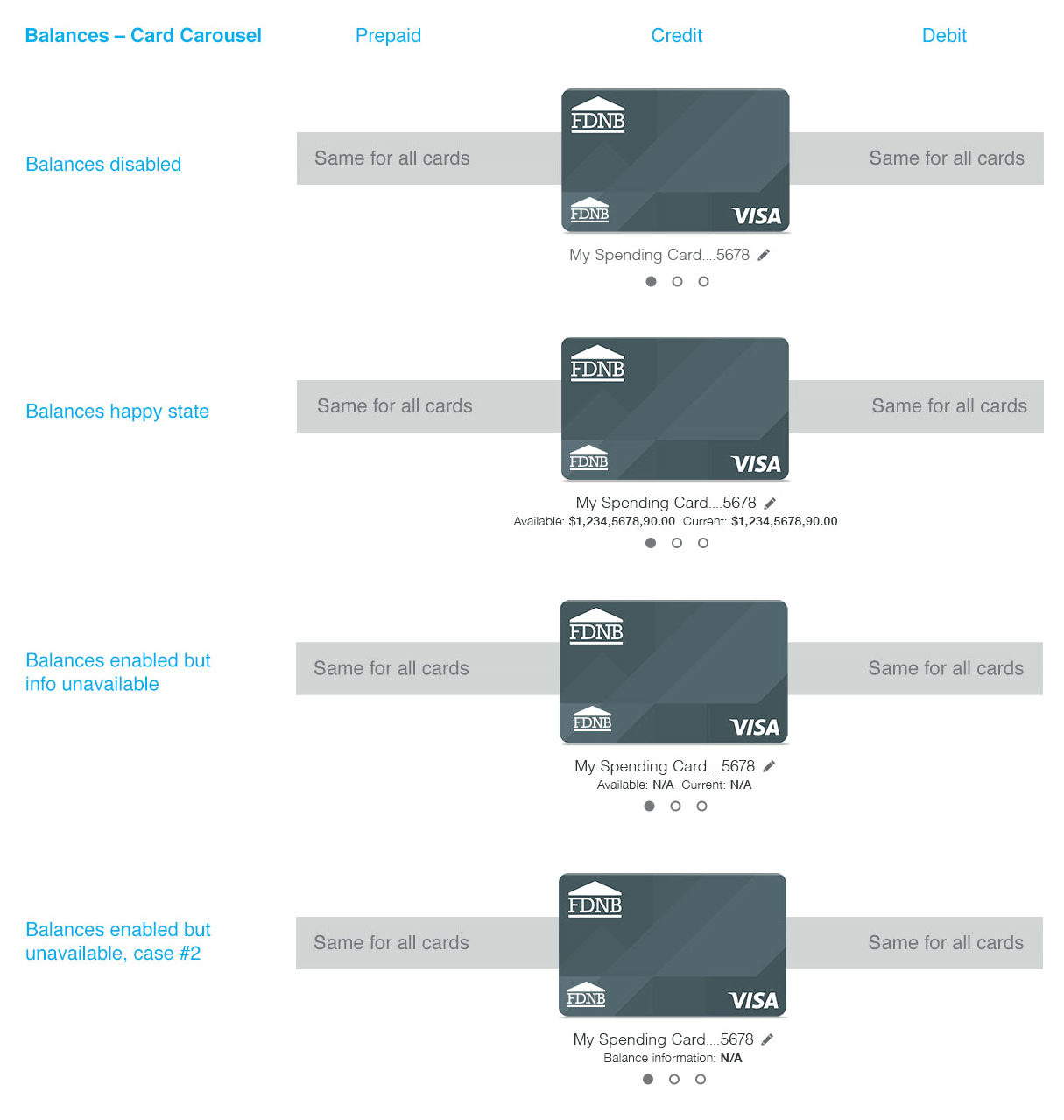
Balances were a relatively simple example, in that they were shown the same for Prepaid, Credit, and Debit card types.
Managing Complexity
Many product configurations were possible, and our team had to design for all of them. Many of the features and data elements "may or may not" be part of a customer's configuration, and Transaction History was a good example. The Visa network had it's own, real-time account history, which was always available to Visa but might not be what the card holder expected to see. The card type, point in the product development road map, and the white-label product configuration all impacted whether or not the account issuer's Transaction History would be available to the user. Some cards would have transaction histories from multiple accounts tied to the same card (i.e. debit checking, savings, loan).
What did users expect to see? Would a user want to see only transactions made with the card, or all account actions such as payments or deposits? What would be shown if data was unavailable? Or if the bank's data and Visa's data were out of sync? Our team had a lot of questions, and often they led to another layer of possibilities.
The product roadmap was also complex, because some business agreements and integrations had sunset dates driving the deadlines for some features. Other features required heavy backend development, making them unavailable until later in the product's future, even if they were important, and required a near-term design and a long-term design.
Feature Roadmap
Visa's detailed product roadmap included some long lead time development features, and some complex business agreements, some forcing product migrations, app updates, or temporary solutions.
Card Types
Credit, Debit, Pre-paid and other card types each had their own business rules and nuances. Users might have any number or combination of these cards to add to the app.
Account Types
User testing showed that many users expected to be able to see activity on other accounts tied to their Debit cards, like auto or home loans, or savings accounts.
A La Carte
Apps and app features could be purchased individually by card issuers, in piecemeal fashion, as desired or necessary to meet Visa's issuer agreements.
Mapping Task Flows
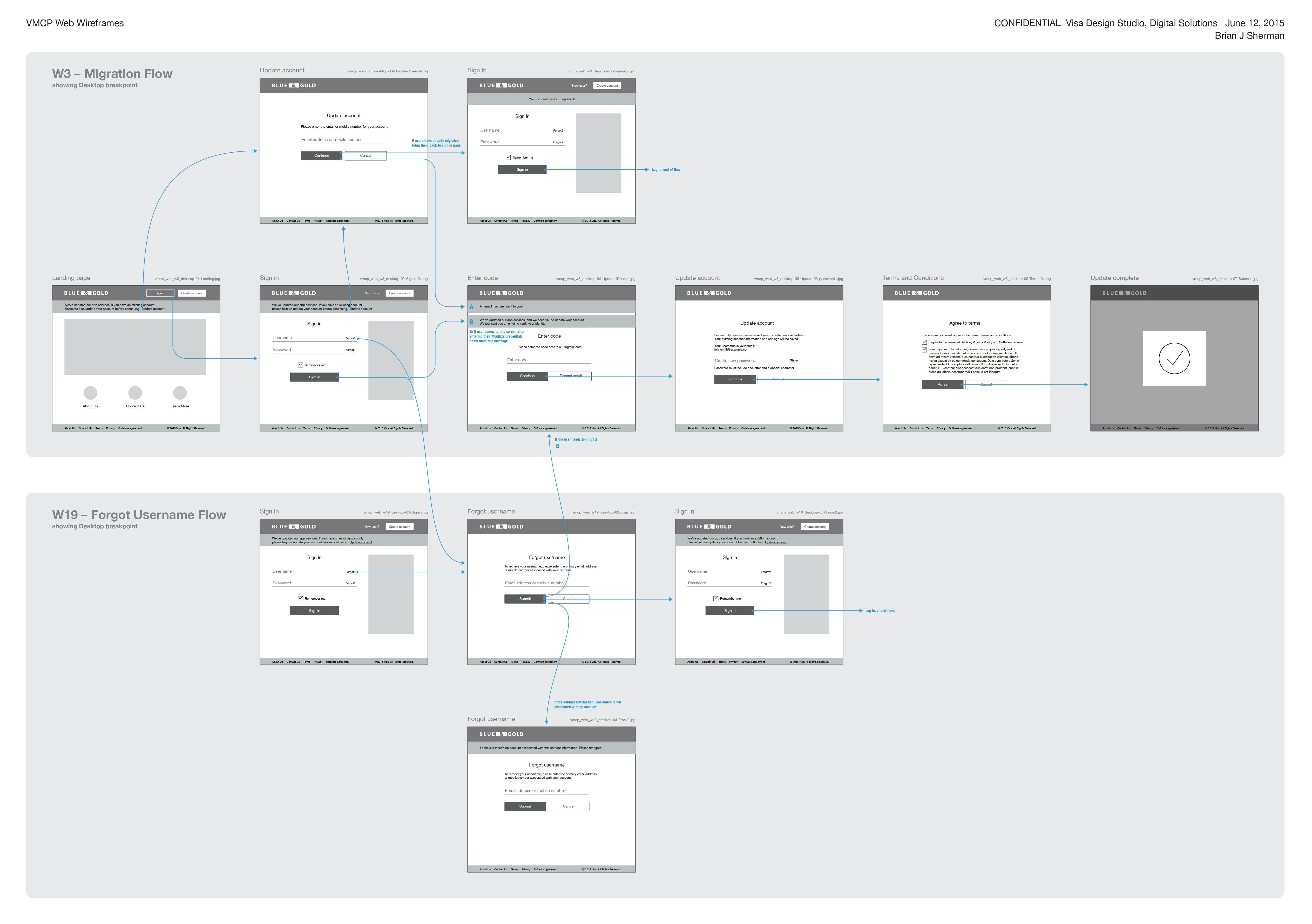
Platform and security changes required some existing account holders to migrate, establishing a new password and user agreement.
Phased Development
Screens and features were designed and developed in work phases, based on the velocity of the three front-end dev teams, and according to a detailed product roadmap. Some deadlines were based on contractual agreements and partner integrations, while other features depended on back-end development efforts on a separate roadmap. These roadmaps required development more than a year into the future, resulting in a process that looked more "waterfall" than agile. Unfortunately, even in the six months I was part of the team we experienced issues typically associated with waterfall development. However, clear prioritization of features gave order to an otherwise very complicated application, and allowed the team to focus on a limited set of features at a time.
Some Task Flows Designed
- Landing Page, Sign In
- Create Account
- Migrate Account, forgot username or password
- Navigation, Footer
- Add, delete, verify email address
- Add, delete, verify mobile number
- Add Card
- Manage card details
- Manage alerts
- View Accounts, Balances, Transactions
- Card statuses and messaging
- Locator
Prototype & User Testing
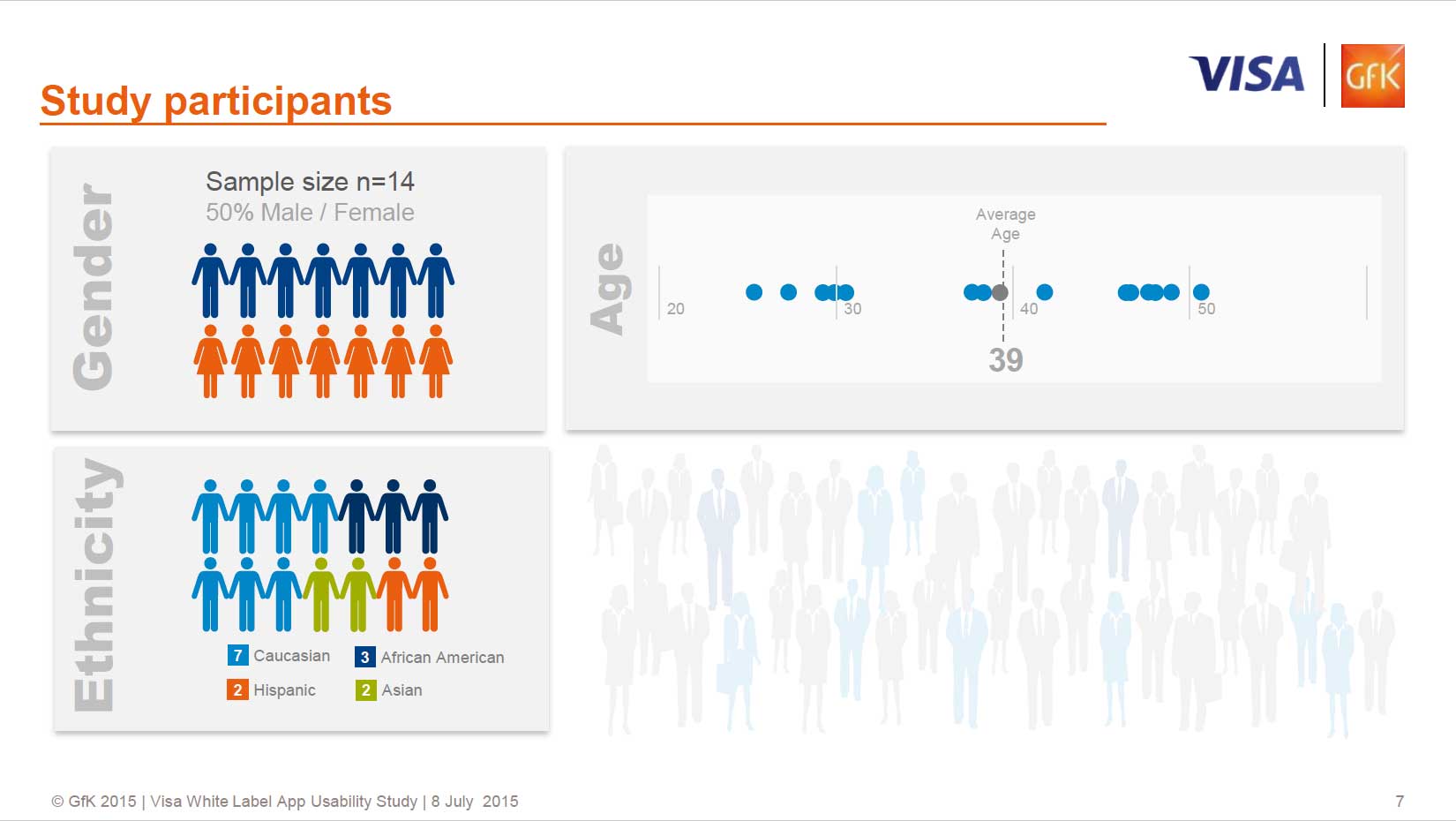
GfK took 14 Visa card holders through a guided, task-based prototype usability test.
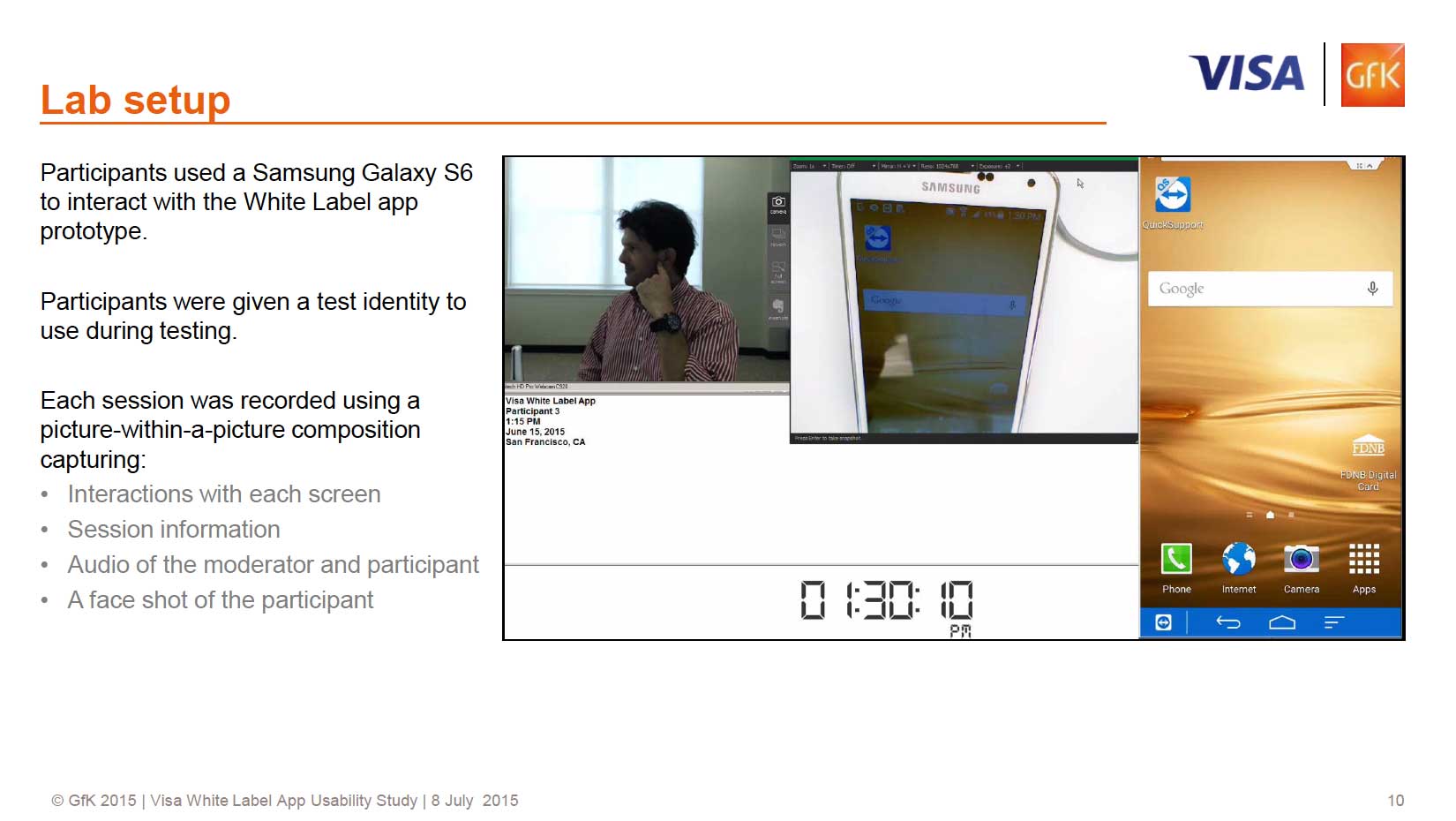
A thorough script covered set up, use of features, and possible configurations.
GFK: Agency Expertise
The Visa Digital Solutions team worked with GFK, a leading, global agency to conduct user testing on an Android prototype. Goals included determining whether, broadly speaking, the white label app is useful and usable, and to investigate more granular usability questions about certain key features, such as alerts, payments, and transfers. The team also wanted to discover which bundled set of features would be most appealing and usable to the intended end users.
The RITE method (Rapid Iterative Testing and Evaluation) was used to be able to quickly identify and address usability issues found within the app. To facilitate this method, at the end of each day of testing, trends were documented and problem areas to address were identified. This was followed by an iterative day where changes were made to the app based on findings from the previous day.
Some Areas Investigated
- Trust & confidence: Mobile phone use for banking & finance was still new for many users
- Distinction between Visa accounts versus other bank accounts confused some, and most users expressed desire to manage both in the same app
- UI usability & intuitiveness: ease, friction & impressions
- Sign in & Onboarding
- Home, Navigation & Card Carousel
- Management of Offers, Notifications & Alerts
- Visa Checkout Enrollment: use of the card in stores & online
- Innovative features: Pay a Friend, Get Cash & Quick Access
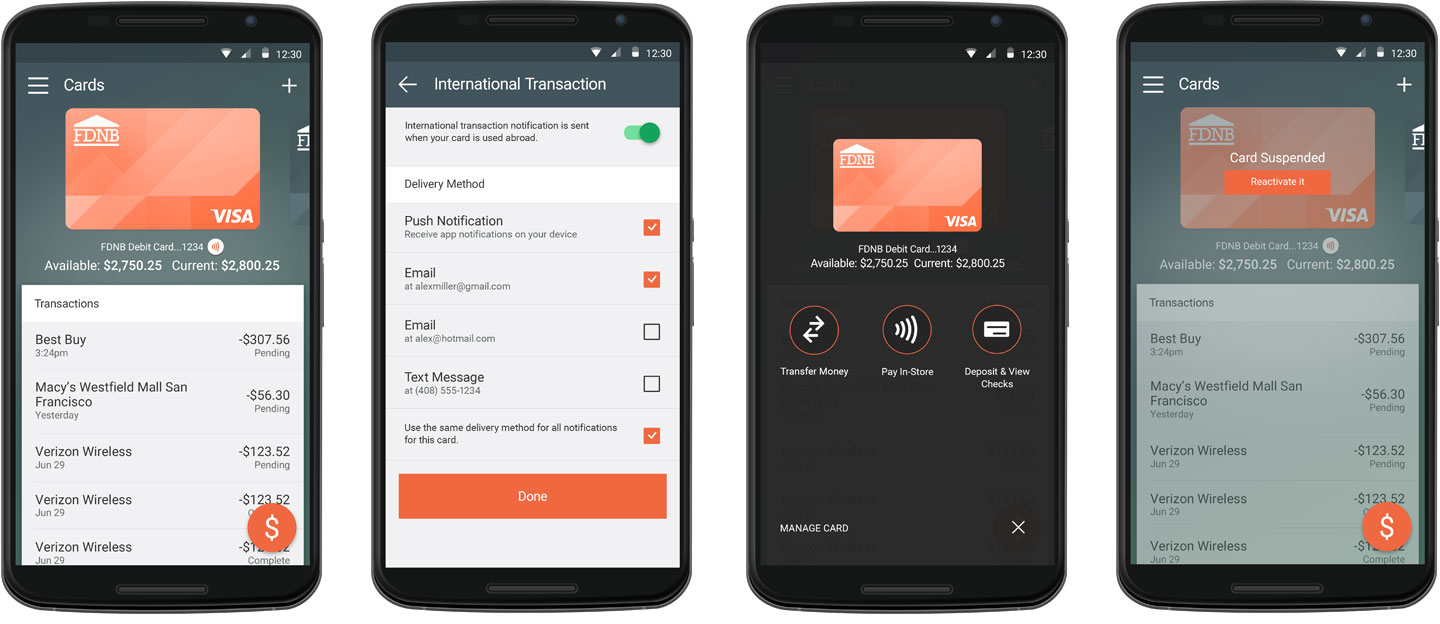
Easy, Intuitive UI
Testing validated the basic experience of the app, and identified opportunities to improve feature controls, wording, and expectations.
Notifications
Alerts and notifications for card activities got good feedback from users as being useful and helping make cards more secure.
onvenience
Users liked being able to user their Visa cards to transfer money, deposit checks, or pay in store.
Card Management
As a Visa-card centric app, users found card management features convenient, but still desired integrated banking features.
Issuer Branding System
Branding Tiers
Product flexibility enabling the app to be "everything to everybody" was important to meet the wide variety of needs of Visa's card issuers. Four different tiers of branding enabled Visa's card issuers to choose the level of product branding that made sense for them. More complex integrations would cost clients more, in part because they required more effort from Visa's integration team. The scale of Visa's client base was very large, and this systematic approach to branding allowed Visa to service the large number of custom integrations.
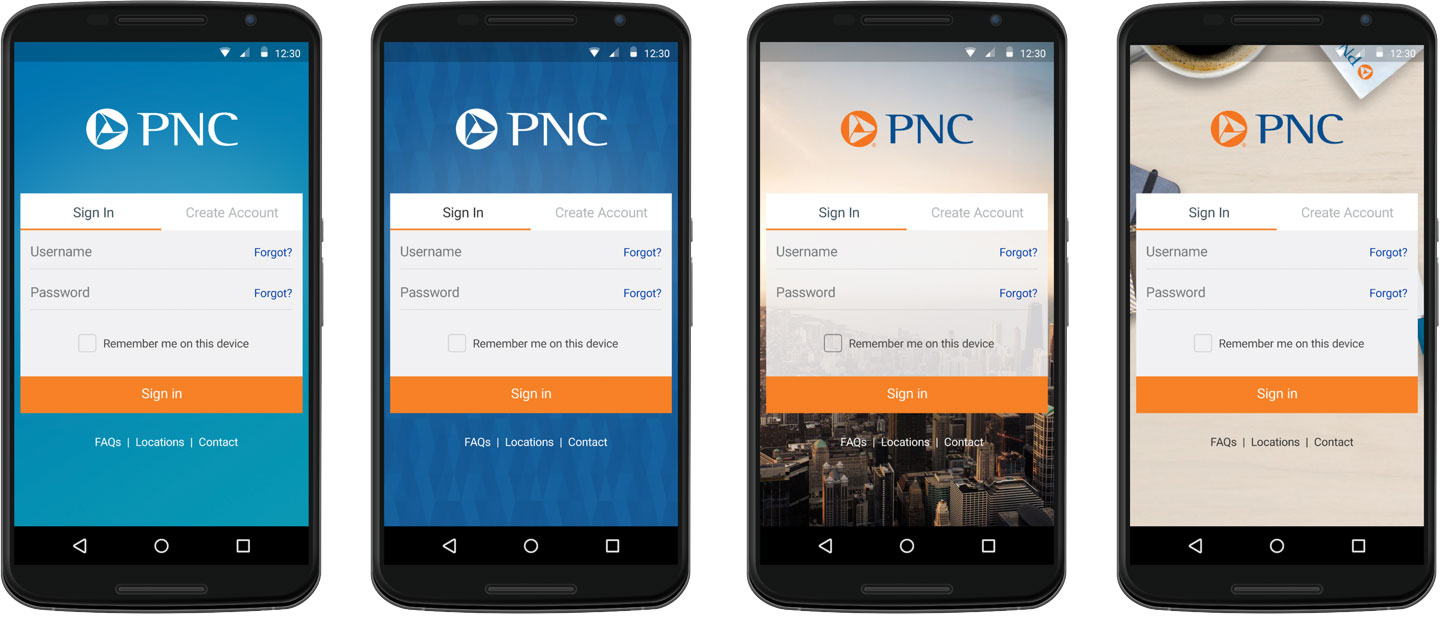
Four design options: A scalable, systematic design framework made branding and customization easy for card issuers.
Issuer Onboarding
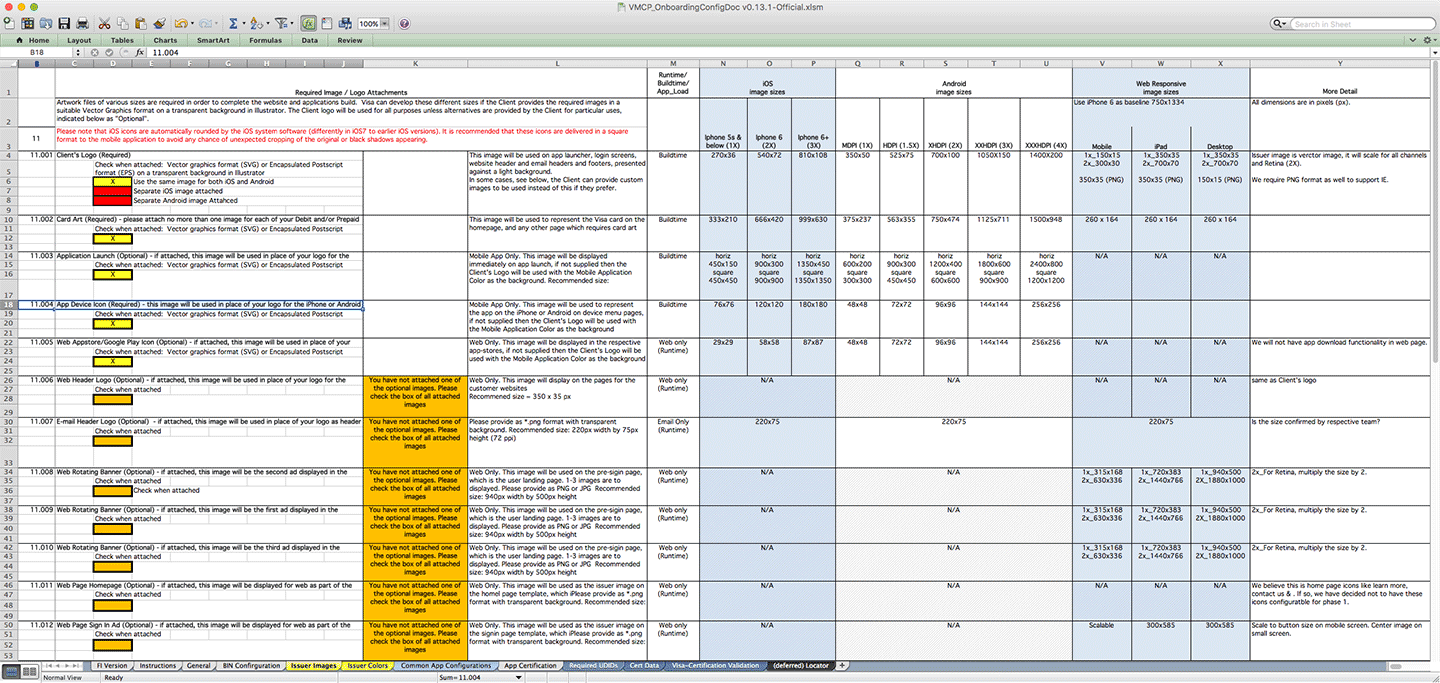
Engineering hand-off included maintaining evolving requirements and graphic specifications for implementation by Visa teams and clients.
Client Enrollment
As the product evolved and designs changed, the team maintained a client onboarding document that tracked requirements based on product configuration. Providing client-actionable documentation of the information needed by Visa's integration team was an essential step in the white label product design. The document specified values such as hexadecimal colors for branding, logo file requirements, and text field values.
Tools, Hand-off & Specs
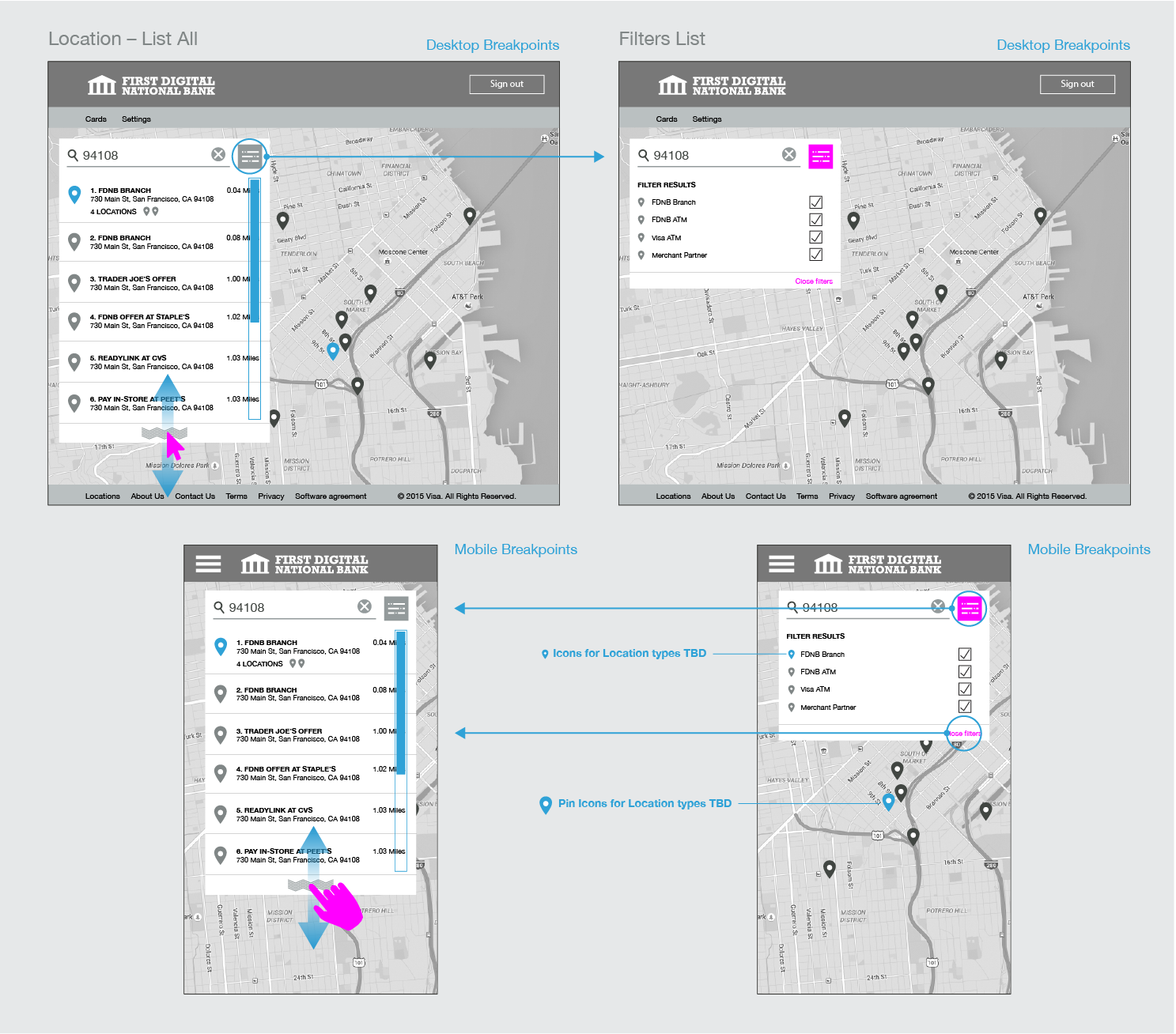
Locations feature specs (portion shown) for Responsive Web.
Before Sketch App (or Figma)
In the summer of 2015, Sketch App was brand new, had virtually no adoption, and was an answer to Adobe's decision a year earlier to stop supporting the Fireworks product. The UX design community was struggling to use Photoshop, Illustrator, or other tools in their workflow, but all the available tools had major drawbacks that caused everyone headaches. Our team created Wireframes in Illustrator, and high-res mockups and UI specs using Photoshop, which was slow and difficult compared to Fireworks or what we now enjoy using Sketch.
Before Inspect or Zeplin...
Creating spec documents to communicate with engineering was essential (and still is, of course), to minimize confusion and development rework. Prior to tools that make hand-off of style specifications easy, such as InVision Inspect or Zeplin, creating this documentation was a project in itself, often taking as much time as the original design mockups. The engineering team I supported was located in India and required a high degree of hand-holding, and was not capable of matching mockups or filling in gaps on their own.
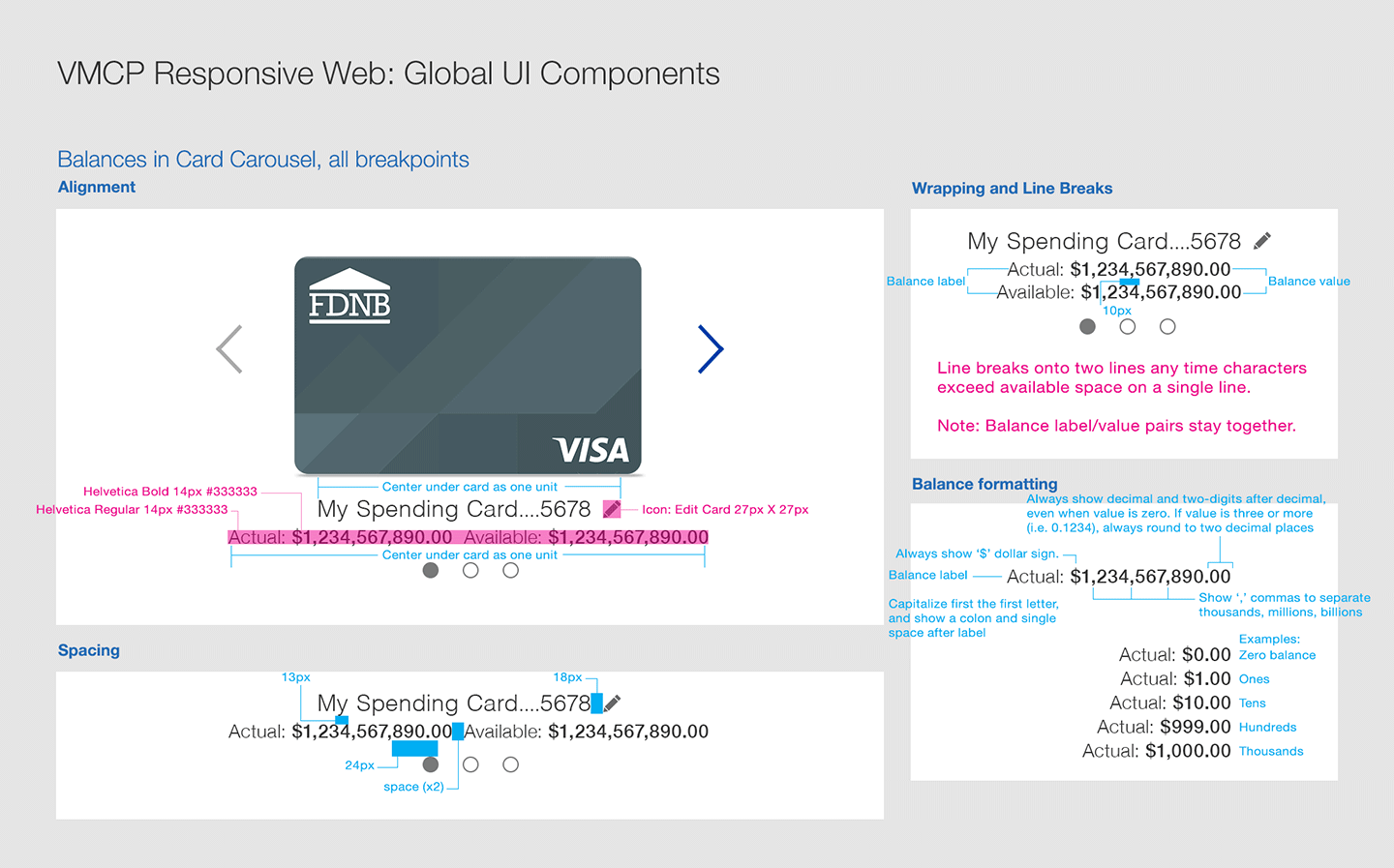
Mockups handoff included detailed specifications (portion shown) for the offshore development team.