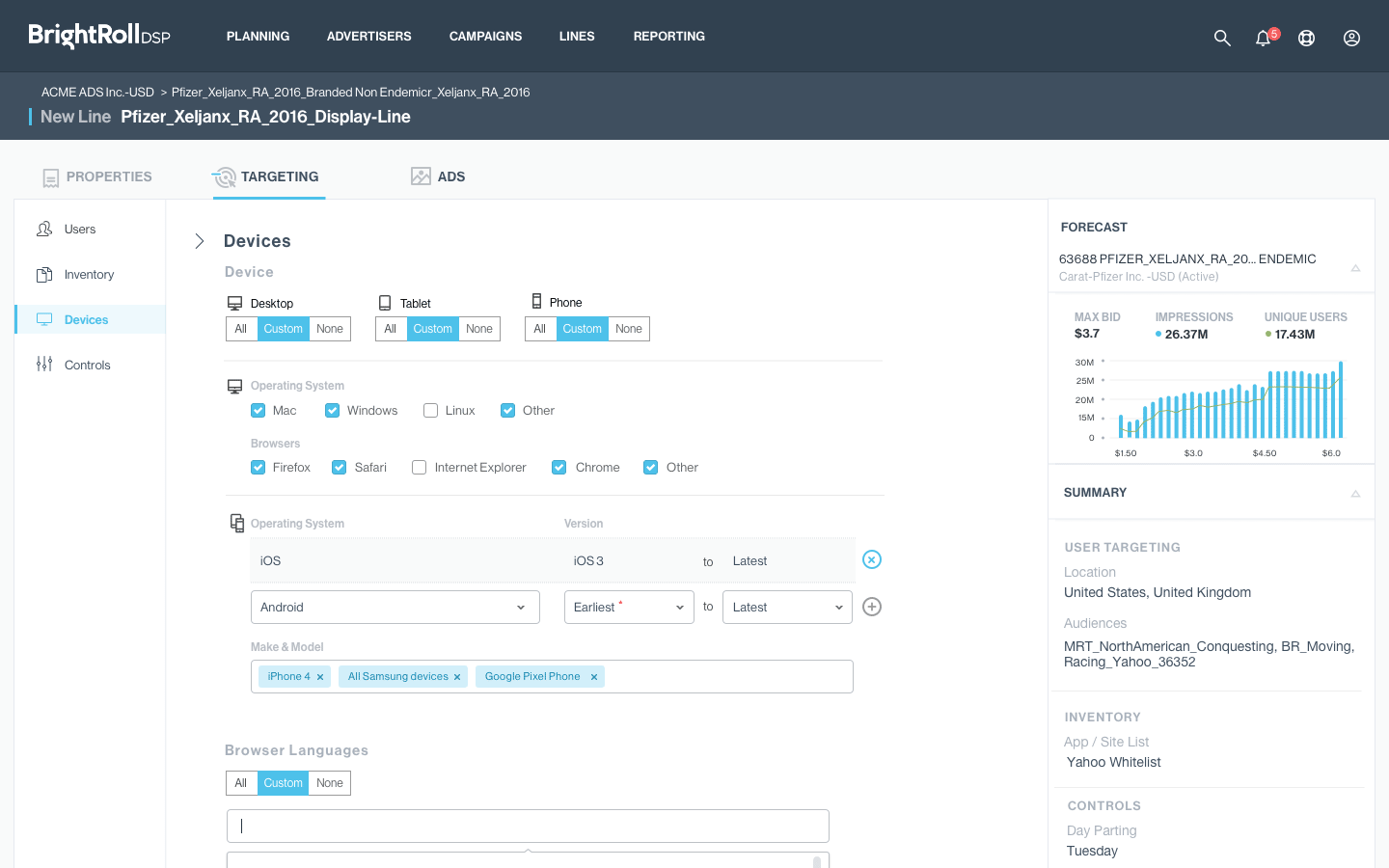
Users of Brightroll DSP, by Yahoo! are online advertising campaign managers who run campaigns (the Demand-Side) on ad properties throughout the internet (the Supply-Side). Each time an app or web page loads, ad placements are sold in real time (fractions of a second) by Ad Exchanges.
Campaign managers have a budget to spend, and attempt to meet a variety of specific performance metrics depending on the campaign goals. The DSP provides parameters for users to target specific audiences (called "Targeting") such as demographics, device type, time of day, include and exclude lists of specific sites and apps, and many others. Professional campaign managers often run hundreds of campaigns at once for a single account. For example, a single campaign (1) might run two different videos (x2) in 50 cities (x50), or run variations based on specific times of day users are likely to be surfing a list of specific apps or websites.
05/2016 – 06/2017(Verizon acquisition)
Brightroll DSP, by Yahoo!(Demand-Side Platform)
Ads & Data UX
5 + turnover
Sketch, InVision, Balsamiq
Sr. UX Designer
Ads & Data UX was divided among two products, the DSP and the Ad Exchange, but my team was 100% dedicated to DSP maintenance and redesign. Three months into my on-boarding, parental leave and the departure of a senior team member left me in charge of a team of three, followed by the addition of two more new hires. Turnover was especially difficult on our Engineering team, which lost several senior members after the announcement of the potential (and eventual) acquisition by Verizon.
Our project was supported by a very experienced UX Researcher who made valuable contributions. Unfortunately, she was not tasked to our project until it was well underway, instead of prior to the start of design which would have been ideal. Until she got hired and brought up to speed I had to perform my own generative UX research and prototype user testing. Once on board, all the designers supported her lead on research, which was great mentoring for all of us on research methods and rigor.
With the close of the Verizon acquisition, teams were merged with AOL to form "Oath," and I was one of approximately 2,200 Yahoo! employees laid off.
Strong competition in a fast-changing industry, where advertisers had more money to spend than time, drove users to other platforms.
Features to support critical campaign activities like planning and audience building only existed outside the platform, requiring additional work and set up time.
Product and Design teams were relying on task flows and user profiles generated years prior. Discussions suffered from speculation and uncertainty instead of wholistic knowledge of user needs.
Tech debt to update the code framework, chaotic CSS, and years of changes made it preferable for Engineering to start from scratch with a new Beta UI.
Fresh UX research to update organizational understanding of the user was needed, but hadn’t been done in advance. Most users worked at agencies that specialize in Advertising. Some agencies were large, handling all manner of clients and accounts, while others were smaller or more specialized. For example, one agency we talked to specialized in targeting mobile users who had flown through airports near New York within the previous few months. Larger agencies were more likely to share campaign work among users focused on different tasks, such as Ad Specialist, Audience Specialist, Optimization Specialist, Data Analyst, and Account Manager. Strategies, methods, and additional software tools varied significantly from one team to another.
An internal Yahoo! business unit ran campaigns on behalf of clients like an agency. Internal Yahoo! users experienced a Salesforce integration that made workflows like set up and budget allocation completely different from external users. External users often ran campaigns across multiple platforms like Facebook and Google, then aggregated campaign results into a single report for clients. Getting candid product feedback from external users was more difficult than internal users, who were easier to talk to and whose perspective more accessible. Thus, even though the voice of the external user was more important to the business, it was usually the voice of the internal user that was heard.
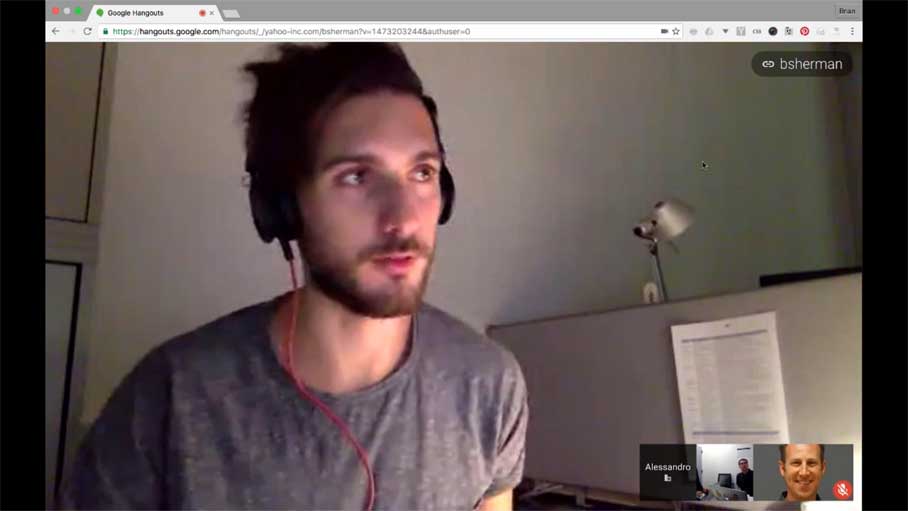
Interview, a Yahoo! Campaign Manager in Europe
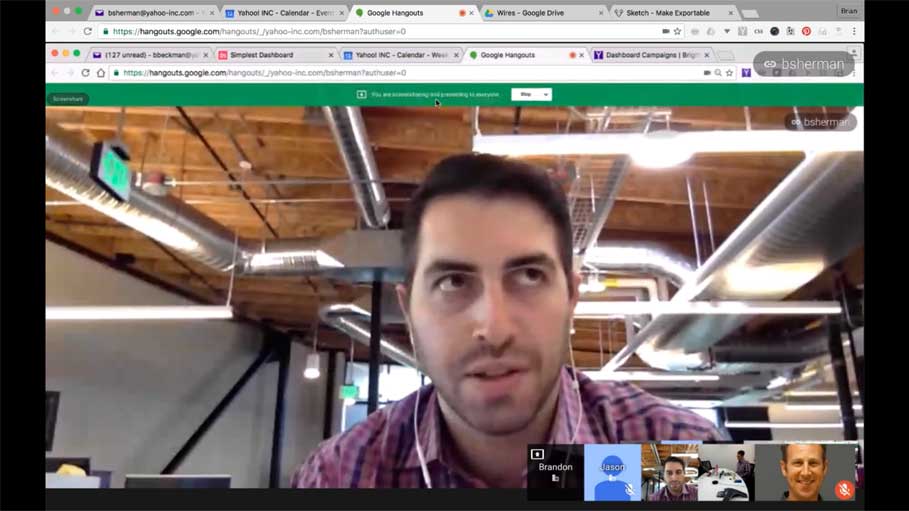
Interview, a Manager oversees a team that handles many accounts
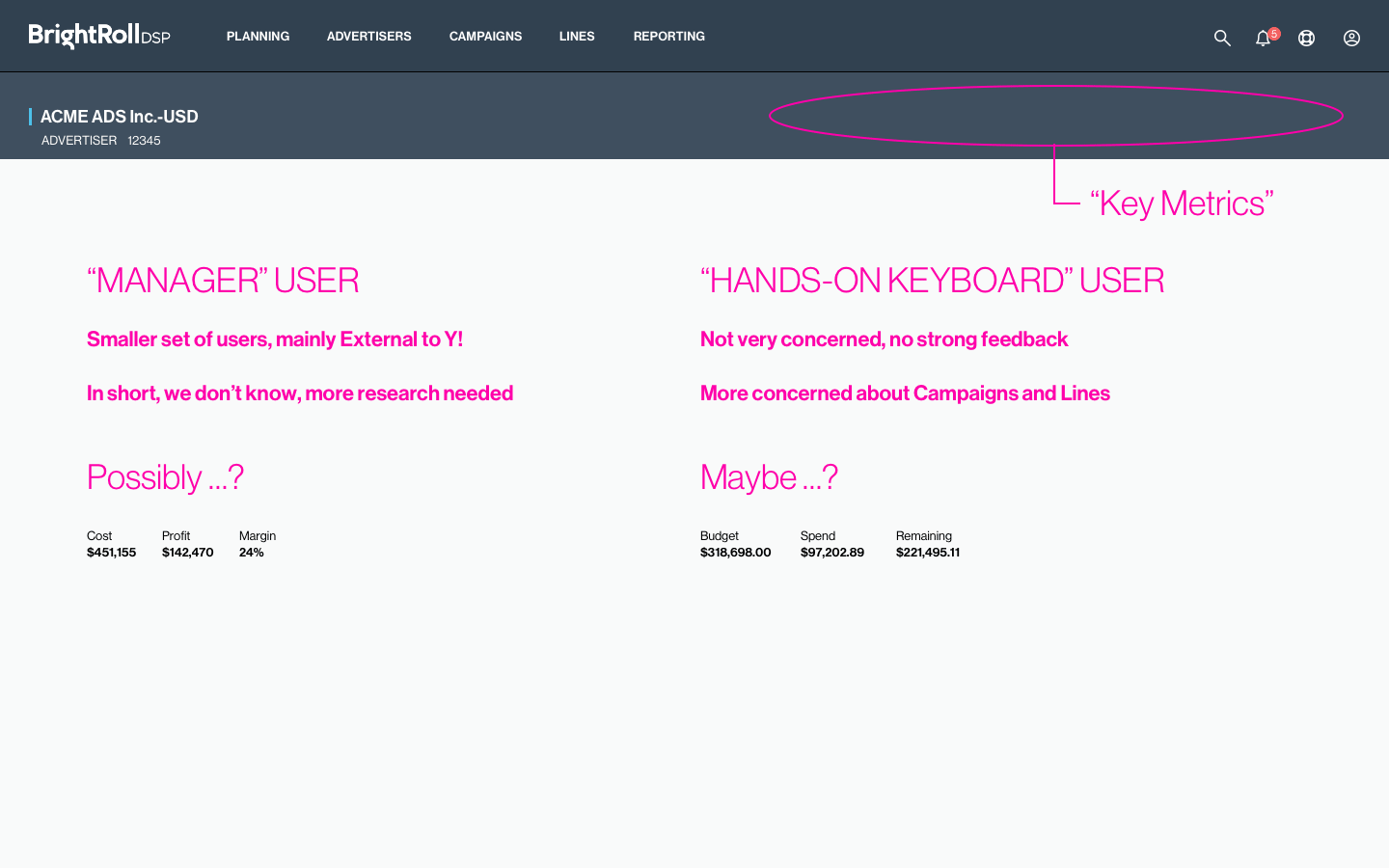
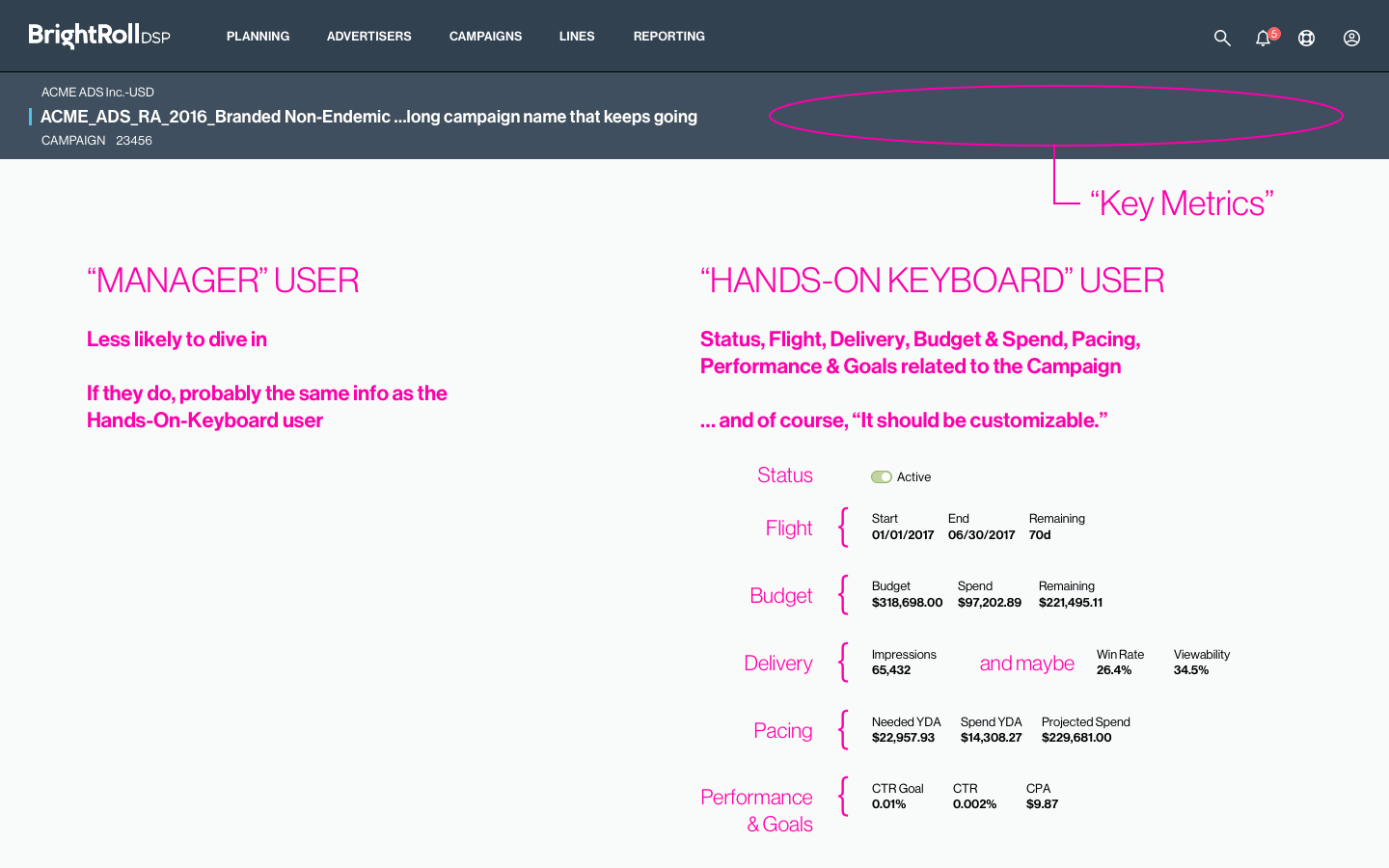
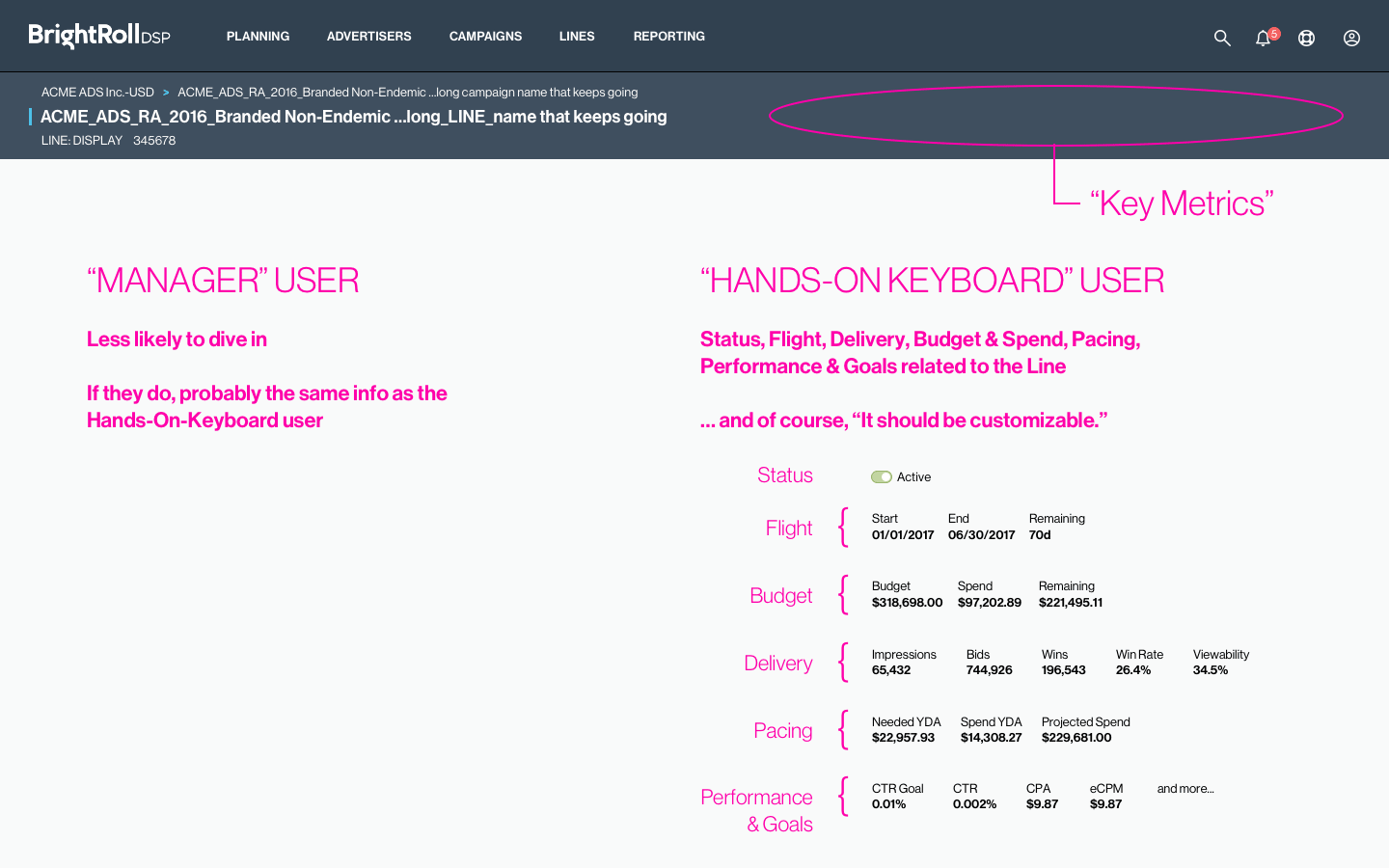
The “hands-on-keyboard” (HOK) user was typically a Campaign Manager, intimately involved in details, using the DSP to set up and run campaigns, monitor and adjust parameters, and was generally responsible for campaign performance.
The manager user was more interested in bigger business performance details such as accounts, profits, and relationships with clients. Typically wasn’t involved in campaign details, but often managed a team of Campaign Managers (HOK users).
Experienced “pros” who know the ad business, know the software, and need to work quickly and efficiently. They often manage the biggest accounts, and to be the platform of choice for this user was a design goal.
Entry-level and junior users were common in the industry, and business training on the platform was not practical. The new DSP needed to be easy for new employees to learn quickly on their own.
The design team created low-fidelity wireframes to illustrate the basic steps and UI required to accomplish the most common workflows, in this case using Balsamiq, which allowed a team of 4 UX designers to collaborate quickly while some transitioned to Sketch. The work was reviewed cross-functionally using InVision. This allowed us to establish "baseline" workflows, identify common patterns, issues, opportunities, and iterate on the design quickly.
Importantly, it also facilitated design review of new ideas with Product and Engineering teams in a new environment, free from the old UI and ways of working.
A successful redesign would have certain characteristics, based on existing DSP user feedback, preliminary research & landscape analysis, and UI design best practices. Executive Product & Design leadership challenged the team to build these qualities into the new platform UI.
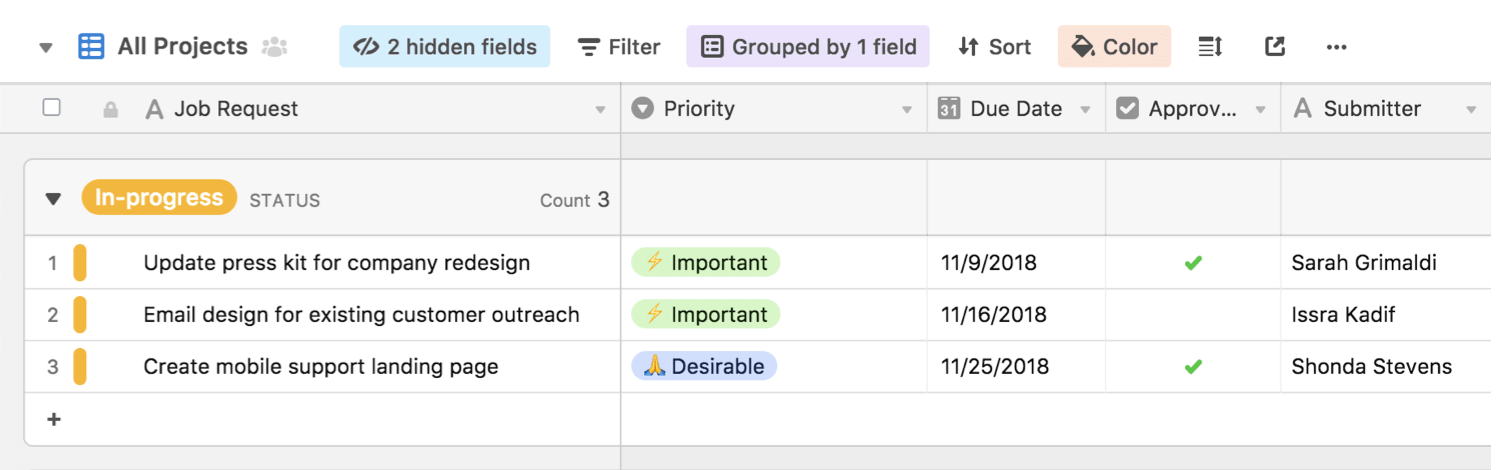
Inspiration: Innovative UI patterns by Airtable.com
Focus on core workflows to make them efficient, integrating the tools users need when they need them.
The application should support critical ad campaign activities from beginning to end, such as Planning and Reporting.
Make it easy to do “anything from anywhere”.
Users expect to be able to perform many of the same actions that they do in their favorite tool, MS Excel.
If it is editable, you should be able to click on it, edit it. If it is “Red” you should be able to take action to fix the problem.
The application should remember states of screens and preferences set by the user.
Enable them to take powerful actions, like bulk editing.
The UI and screens should be clear and intuitive; new users should not need a tutorial.
I worked with team members to apply an evolving Visual Design system to my designs in wireframe
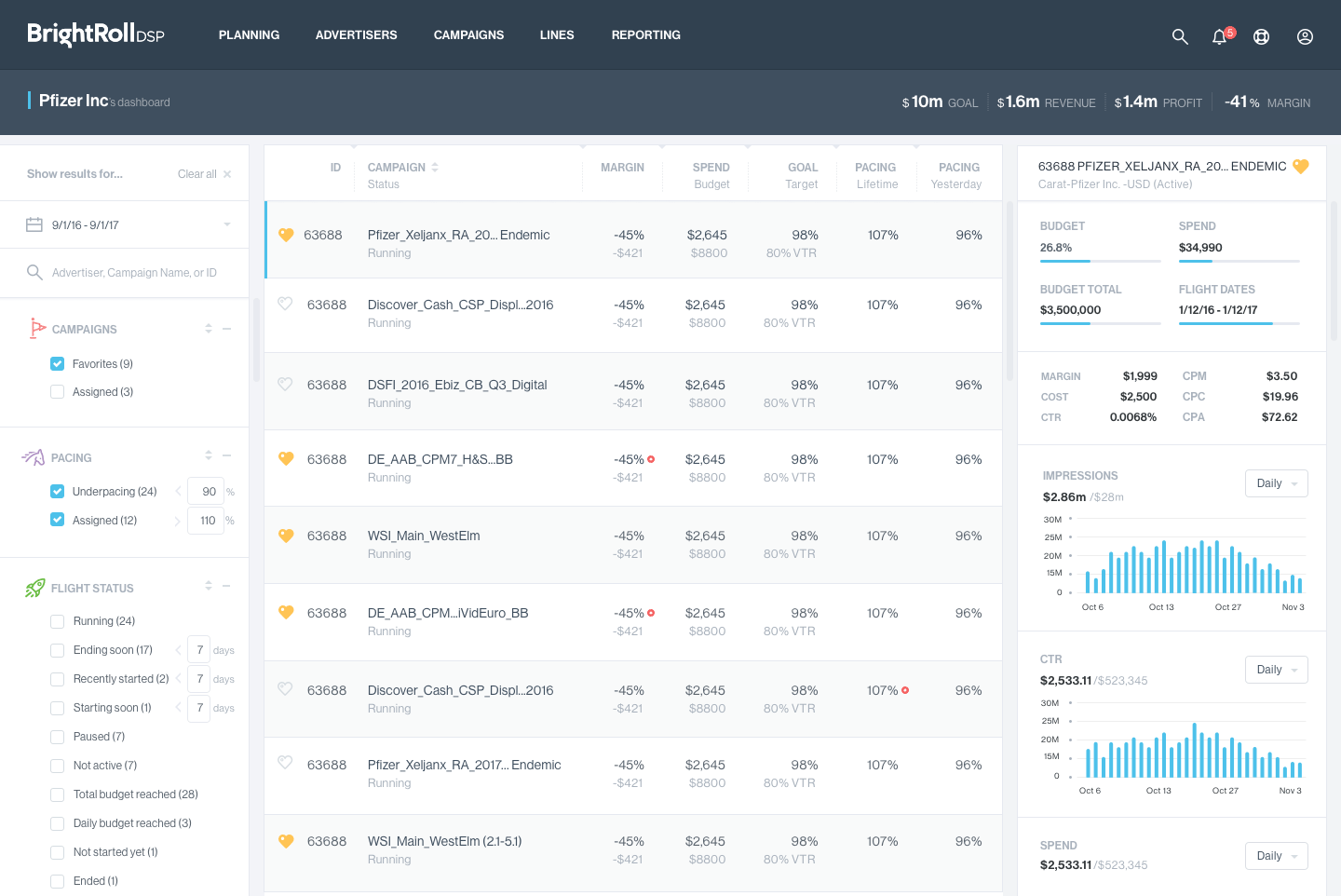
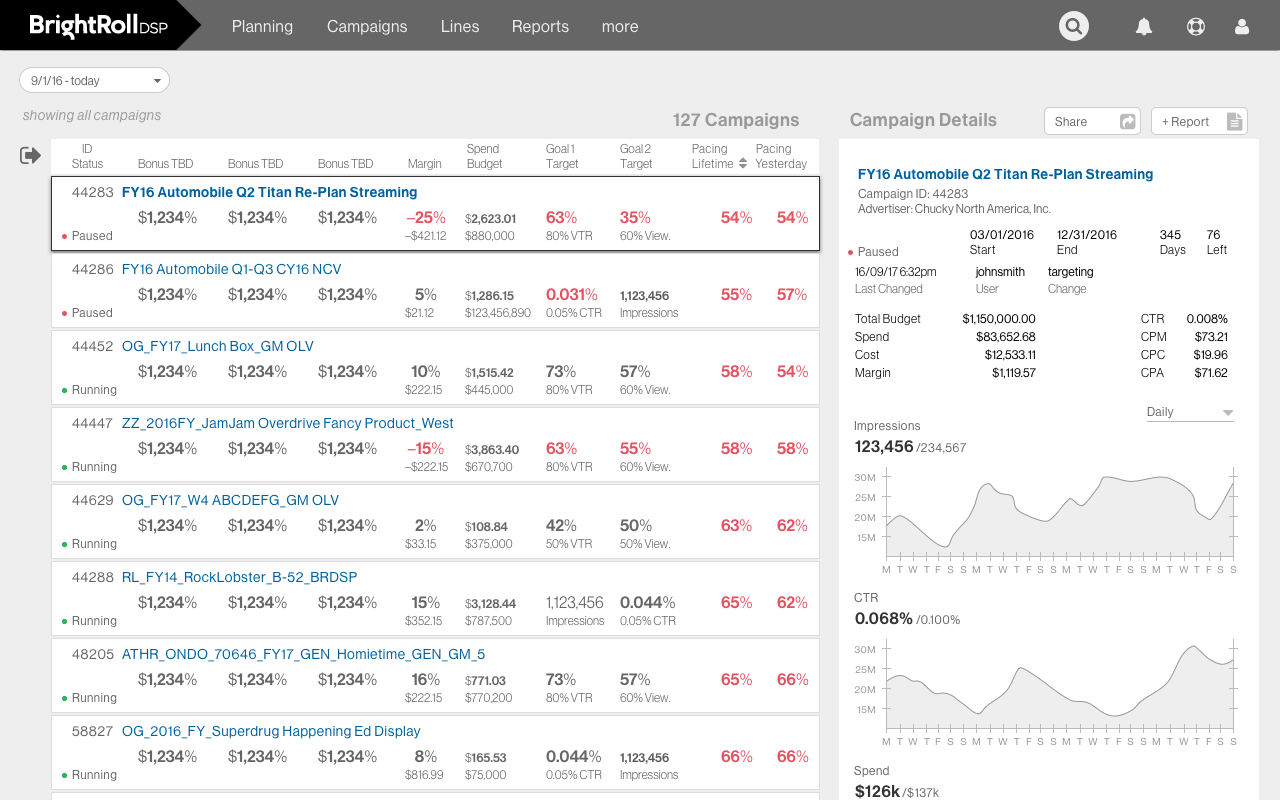
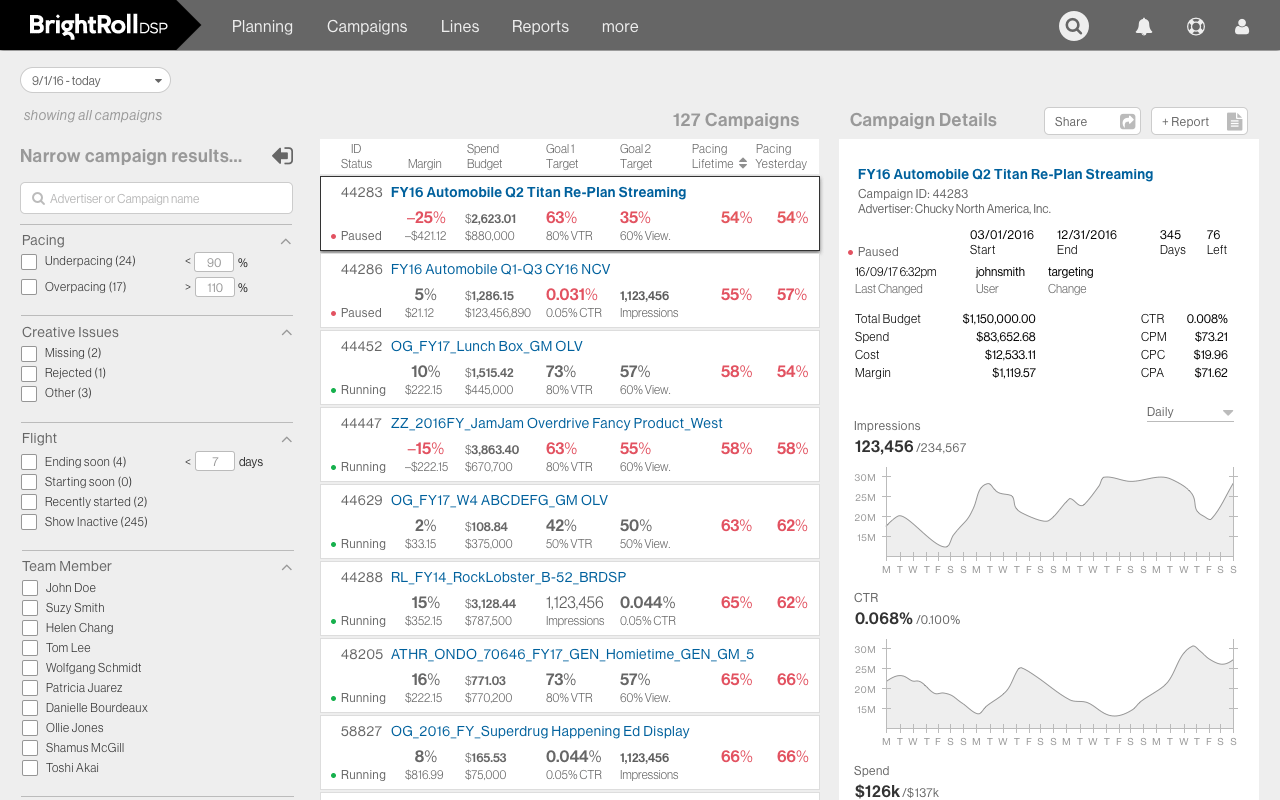
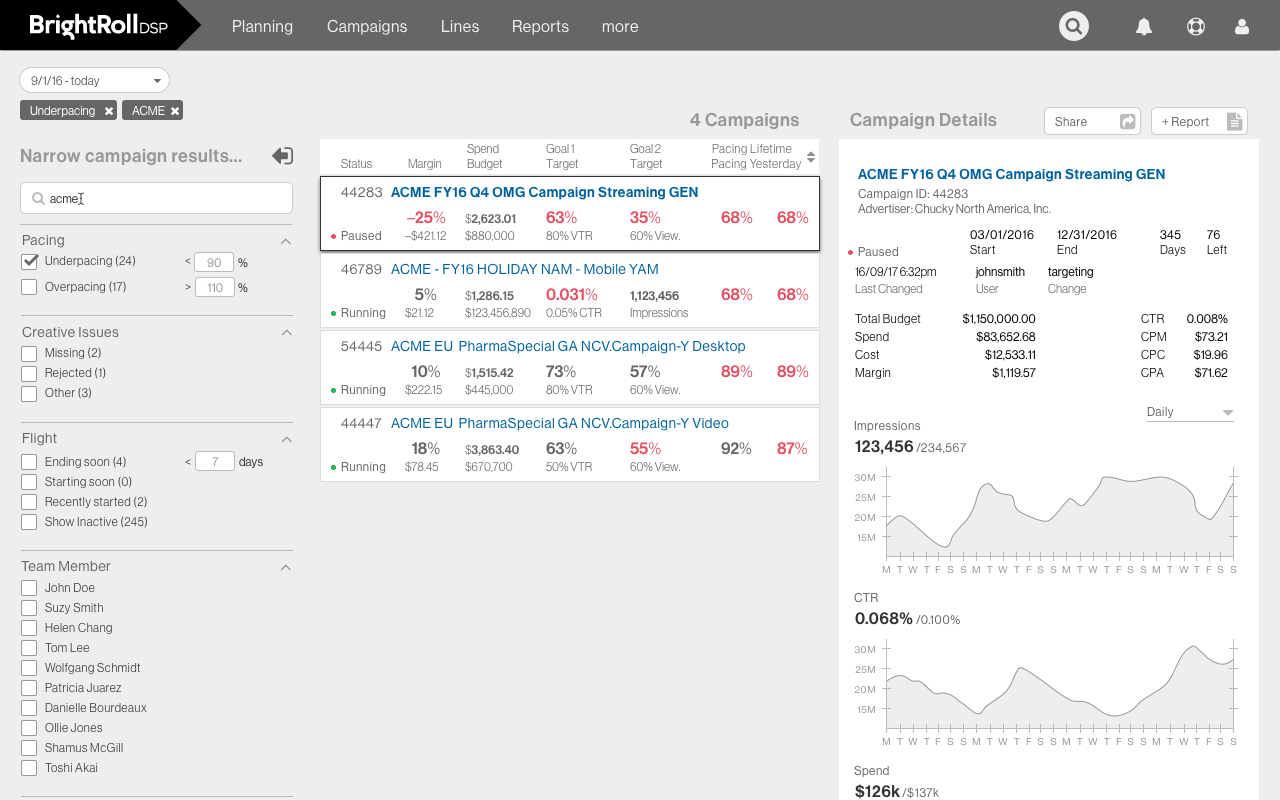
The dashboard was the first screen I designed, which was helpful because at the start I was still learning about programmatic advertising. All users start at the dashboard after login, however, different users might be interested in different tasks, such as creating and managing campaigns, building an audience, creating an ad, or client account management. The dashboard is intended to provide higher-level data and features to identify specific campaigns and lines that match different use cases.
Filtering tools in the left column could be used to identify matching campaigns in the center column. Selecting a campaign in the center presented additional details in the right column, or direct navigation to that campaign. As "read-only," this screen facilitated monitoring, finding, and diving deeper into the data. The primary goal is to help answer the question, “What do I need to spend my precious time on?”
Wireframe: Filter column can be collapsed for laptop screens
Wireframe: Filter column used shopping site patterns to narrow results
Wireframe: Filtered results match specified attributes
Fast, intuitive, direct navigation to any item of interest was a major goal of the redesign. Re-thought main navigation made direct access to more of the campaign data possible by surfacing recent and favorite items. The customizable spreadsheet was also a powerful tool for navigation, allowing data linking, show/hide, sorting, and filtering.
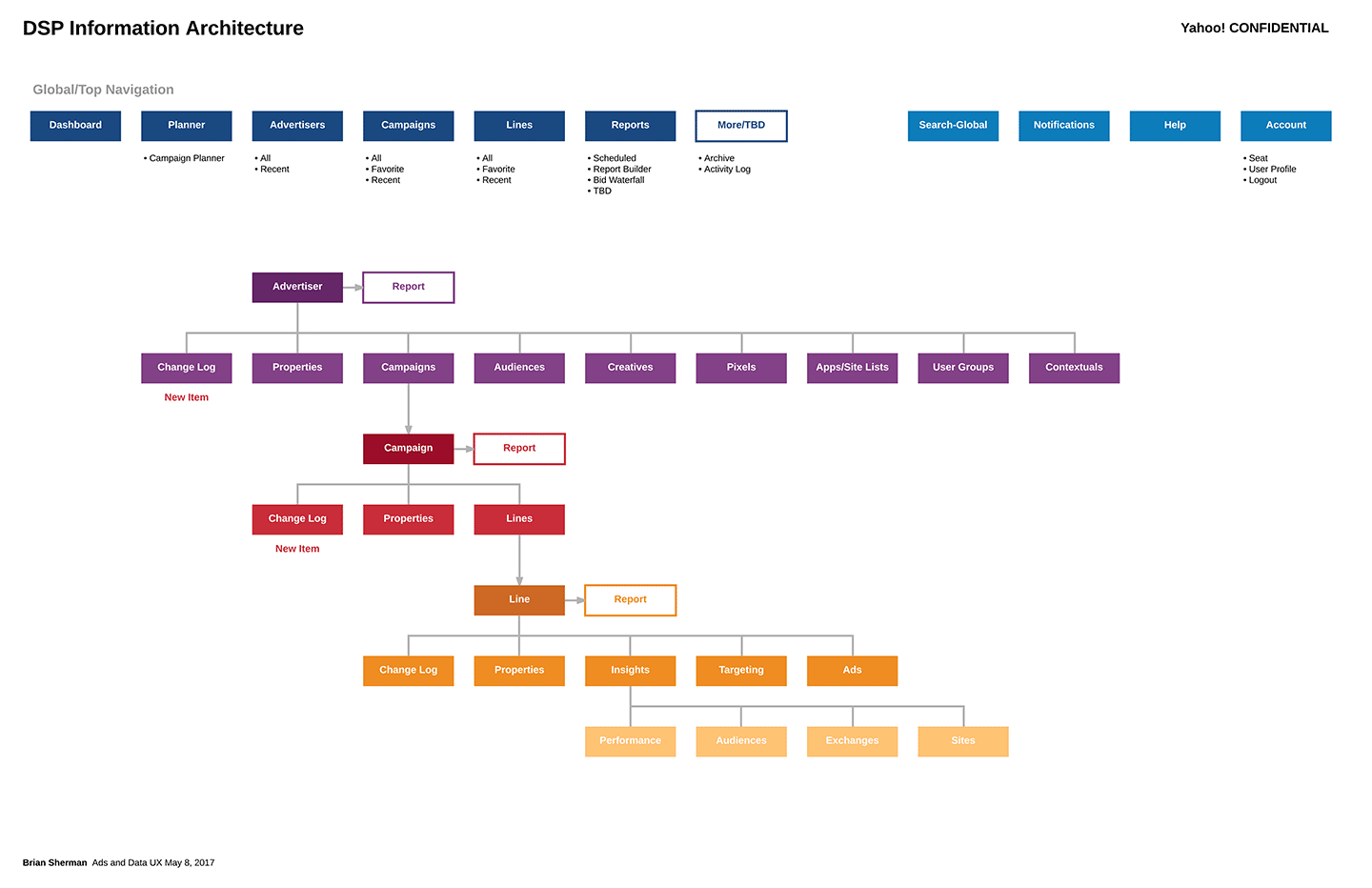
Rather than "do anything from anywhere" capability, user research revealed a strong preference for maintaining the Advertiser > Campaign > Line hierarchy inherent to the business. Main navigation also reflected the campaign "life cycle" phases of Planning, Setup, Flight, Reporting, and Archiving.
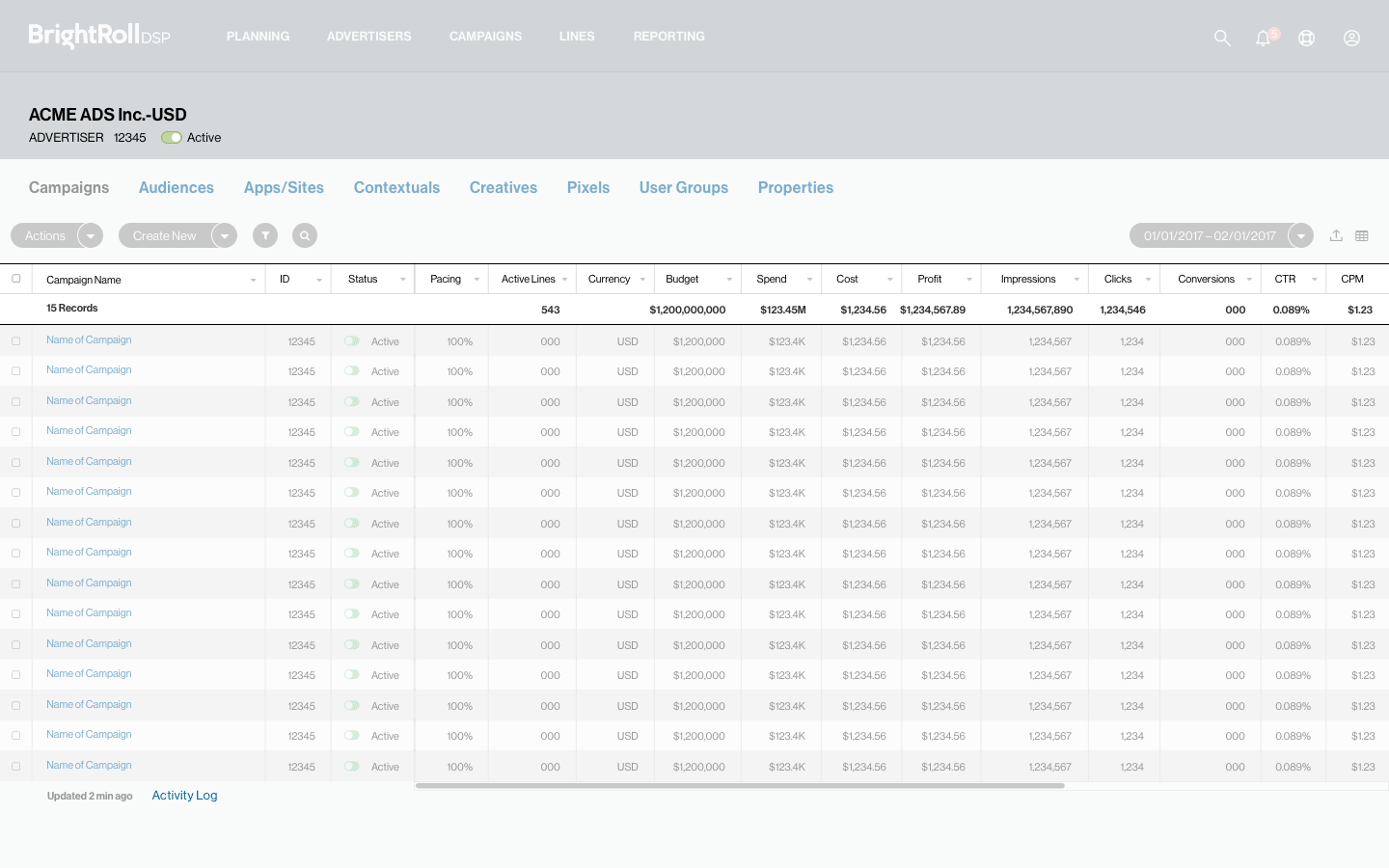
Advertiser level. Campaigns and other asset "libraries"
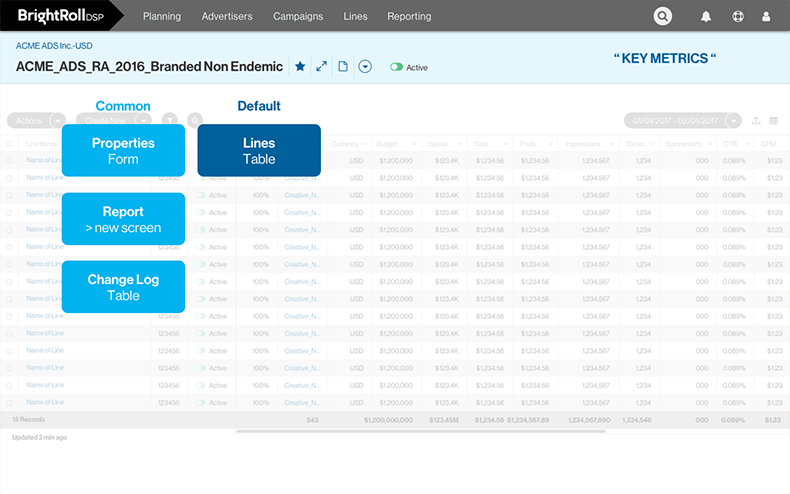
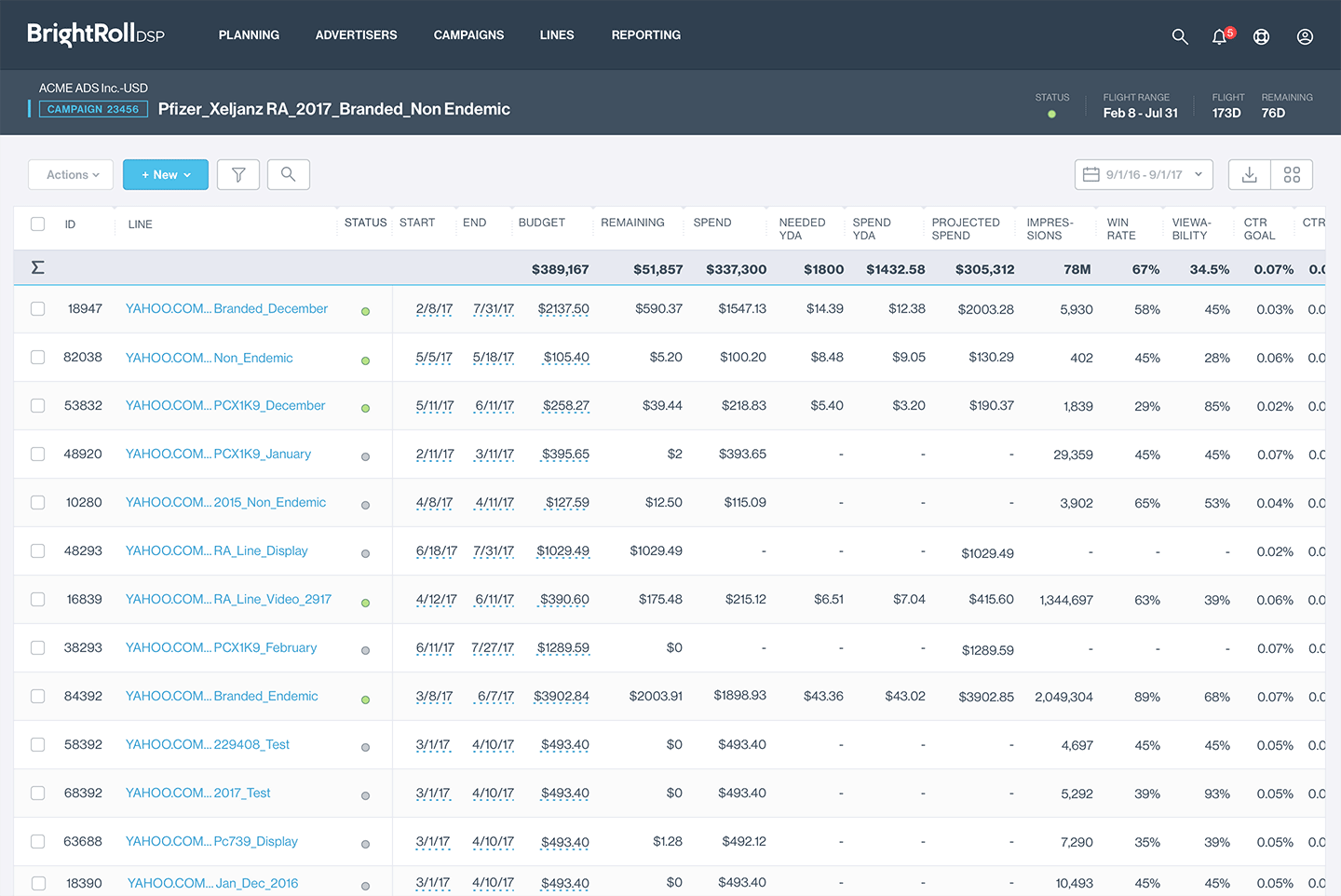
Campaign level. Line data table is the main "child" asset
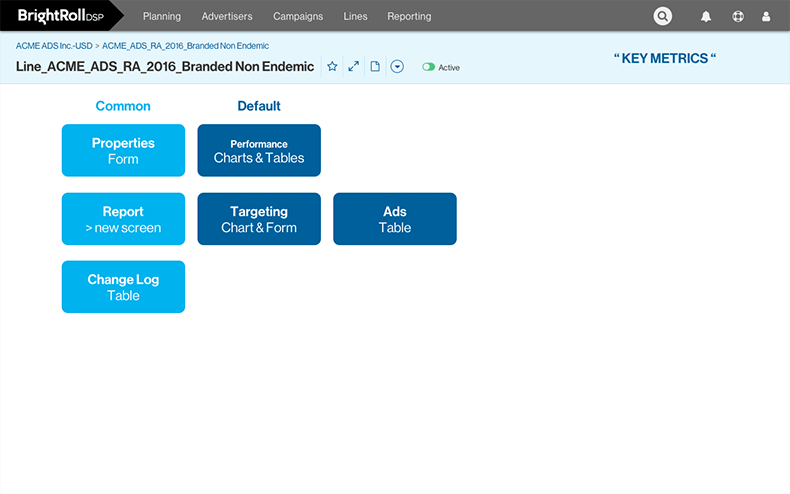
Line level. Performance Data, Targeting, and Ads
I want to see everything all at once.
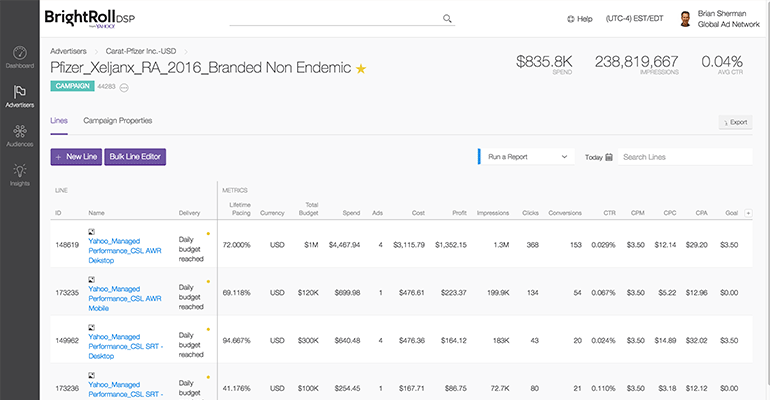
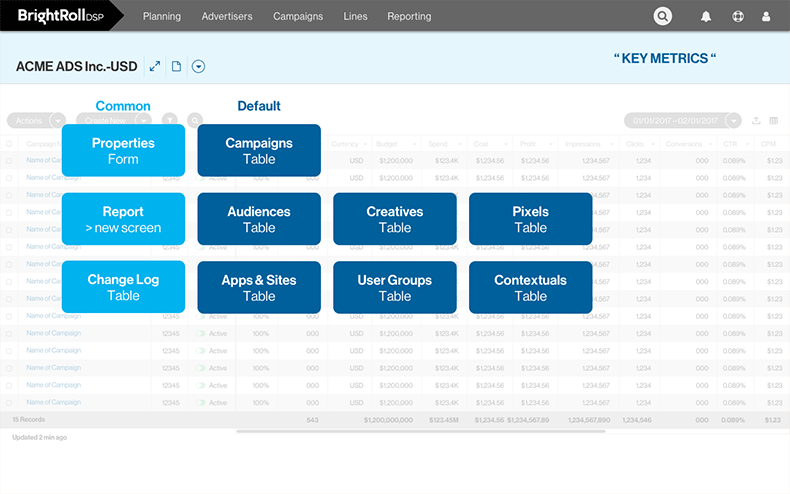
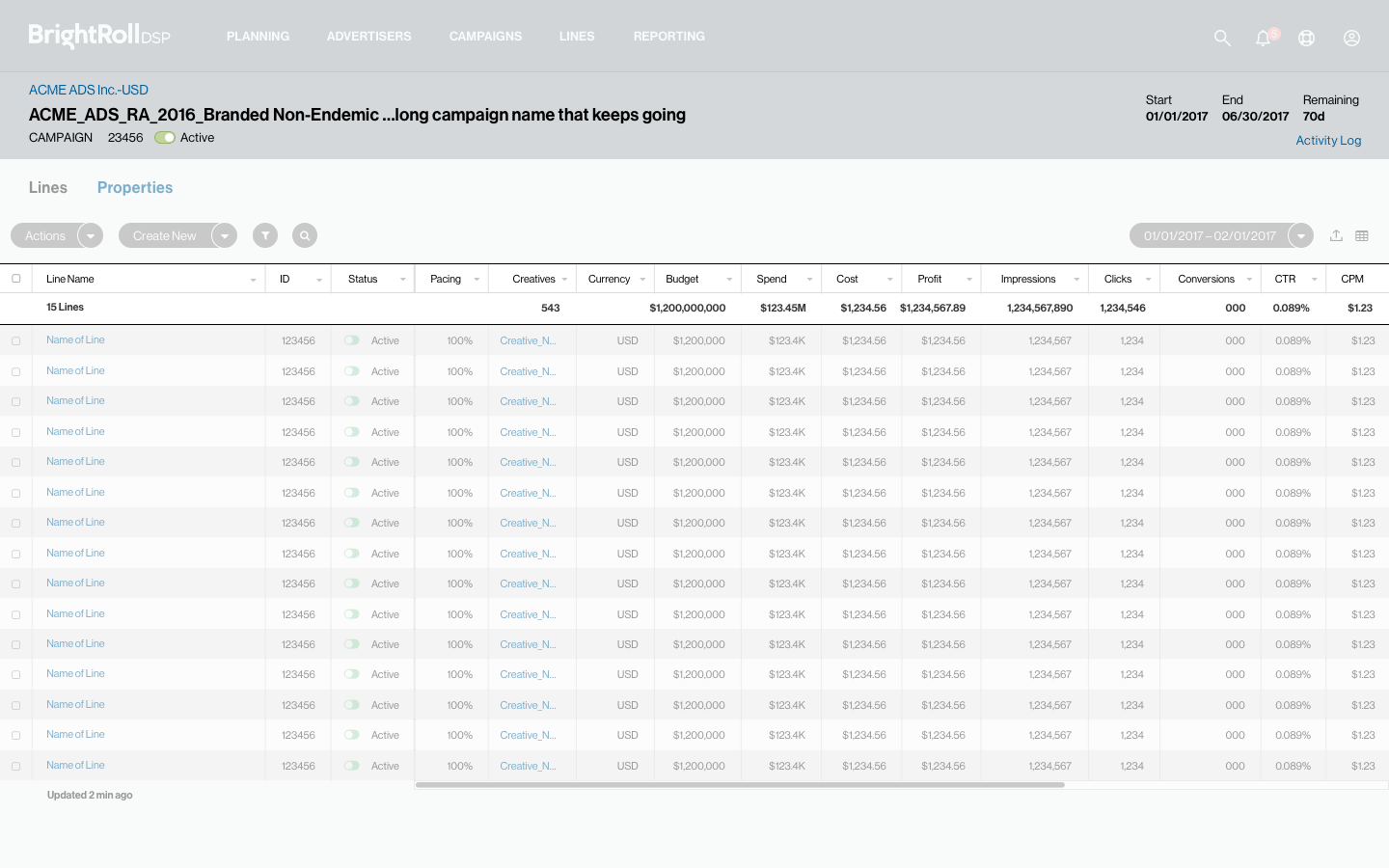
A powerful, editable spreadsheet was the backbone of many workflows
Every campaign manager we talked to relied heavily on MS Excel to do their jobs, and would often export raw data from other software for import and manipulation in Excel. Leveraging a similar spreadsheet model in the redesign UI gave users many powerful tools they were accustomed to and would dramatically increase the speed of many tasks.
Powerful advantages of the spreadsheet model included increased data density, and the ability to make many actions without changing screens. Direct editing, bulk actions, easy sorting and filtering, are a few of the benefits of the spreadsheet, as well as more control over what data is/ is not presented.
Wireframe: advertiser screen showing a spreadsheet of associated Campaigns
Wireframe: campaign screen showing a spreadsheet of associated Lines
Wireframe: a Line screen, showing detailed performance metrics, connected to related controls
"...I would highly recommend and endorse him for any position that requires these skills and allows the freedom for his experience to shine through..."
At the start, very little reliable product research was available. The Yahoo! team was relying on research done by the Brightroll team several years earlier (a very successful, but different video-ad-focused product), and the expertise of former Brightroll employees – several of whom left the company early into the redesign. The Yahoo Ad Manager “Platform Engagement Team” held a lot of experience, but also strong opinions that were not really what was needed for a new design vision. A half-time researcher had been tasked to our project, but ultimately was removed for lack of commitment and performance.
To learn, I performed my own “guerrilla” style UX research, asking everyone I could about the product, even the VP of Sales for the DSP. Platform Engagement guarded it’s access to external company users, and I didn’t have the bandwidth or authority needed to “get out of the building” until a new UX Researcher was hired. Still, my scrappy initiative enabled me to design a new dashboard and IA that was ultimately validated and refined by solid user testing.
A new, very experienced and effective UX Researcher was hired for our team. Unfortunately, about eight months had passed after project kickoff before she was on-boarded and contributing the sort of generative research and user testing we needed. Ideally, this type of work would have started even before project kickoff. Working with the new, veteran researcher was great experience and brought confidence and rigor to the methods I had already been employing, like interviews of users and stakeholders, and user testing prototypes.
The new UXR took our testing and user interviews to the next level, and planned a trip to Yahoo!'s New York office where we met with external advertising agency clients and a wider internal team of account managers. The trip was very fruitful, and exposed a diverse variety of user techniques and ways of working, especially at the ad agencies we visited.
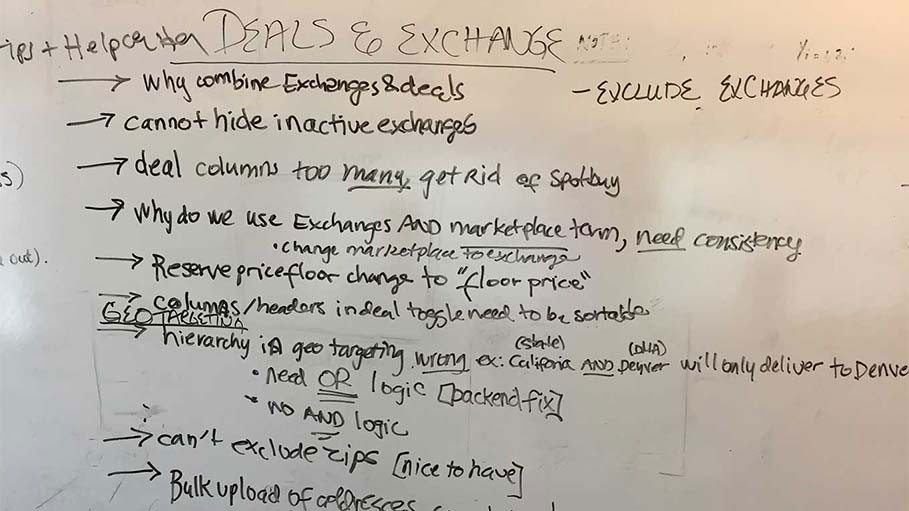
I helped facilitate design sprints that were based on the GV Design Sprint, and included both internal and visiting external users and the cross-functional involvement of Engineering and Product stakeholders. This process uncovered nuanced user needs and allowed us to collaborate on solutions. We broke into groups, filled many square feet of white board, transcribed discussions in real time, recorded sessions with video, and shared insights.
Design sprints: Agency users visited to share experiences and develop solutions
Understanding the complex factors related to campaign performance took time. We conducted extensive research with our users to identify what metrics they needed in different scenarios, and how that information indicated possible ways to improve performance. Different metrics were used to assess or troubleshoot different aspects of a campaign's performance, and different tactics could be employed to achieve different campaign goals.
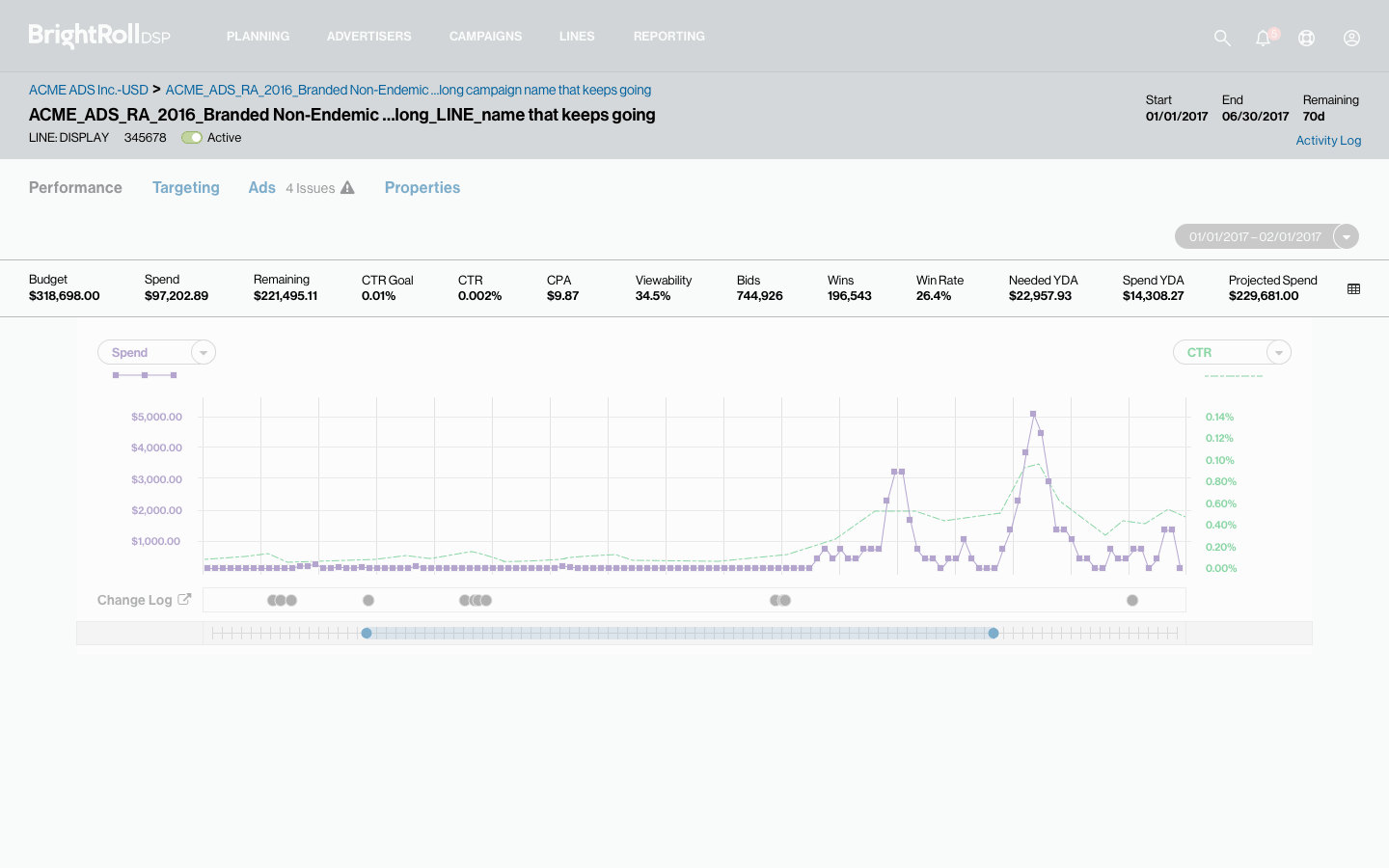
Being able to quickly understand what tactics are working or not working, then quickly make adjustments was the goal of the Line Screen, and was essential for the success of the DSP product. Audience Targeting is a crucial component of any ad campaign. Audience segmentation, re-targeting, adjusting bids, and many other tactics could be used to optimize lines and overall campaign performance. All of this differed from one user to another, one campaign to another, the type of agency running the campaign, and other factors.
Advertiser screen metrics: Account-level margins, costs, dates...
Campaign screen metrics: Overall campaign metrics, issues with lines
Line screen metrics: Detailed problem solving, full controls
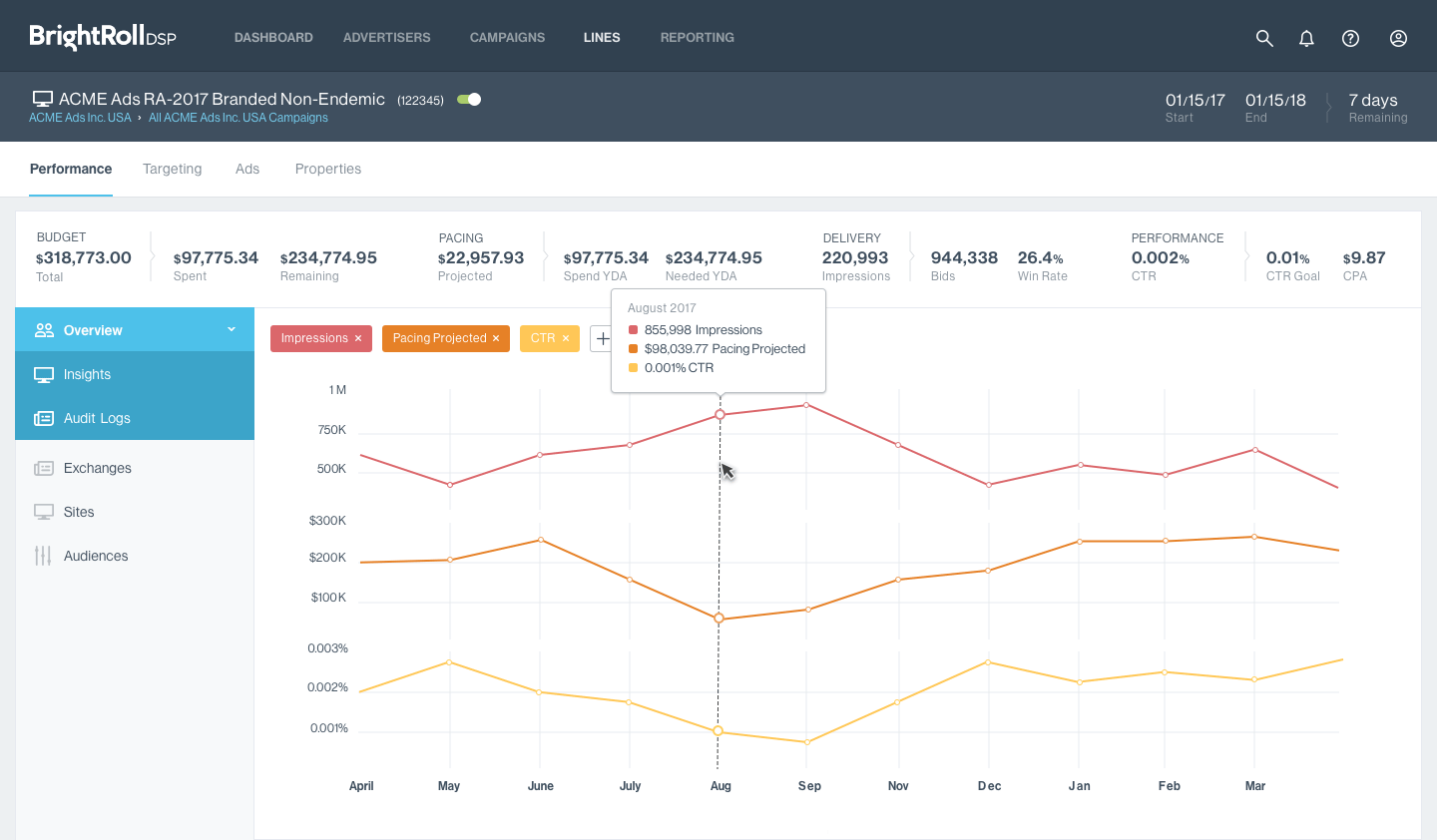
Line screen: shown with Visual Design applied, shows all critical metrics to support assessing line performance, troubleshooting issues, and optimizing using a variety of tactics, supports charting multiple, user-selected metrics
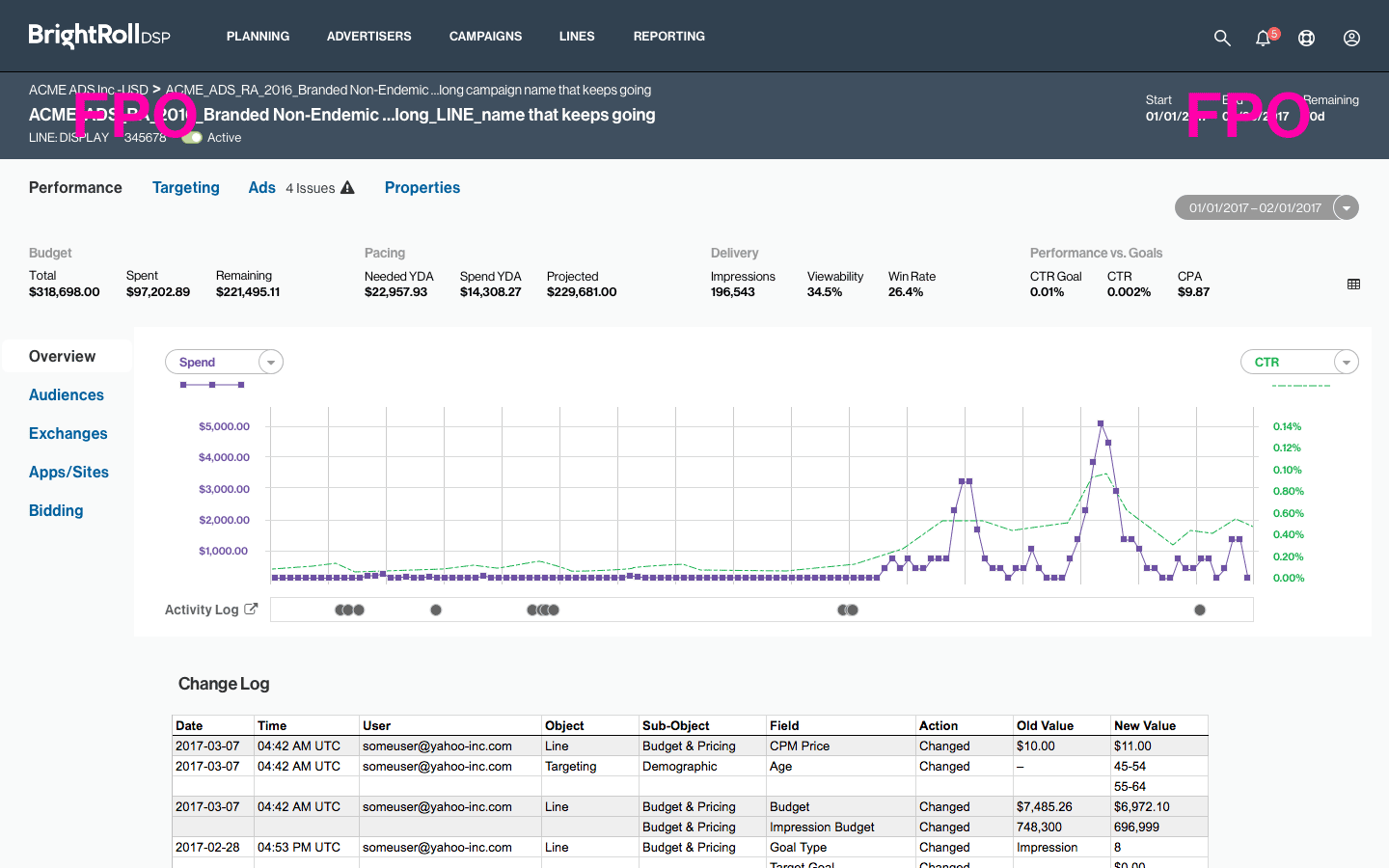
Wireframe: my design for the line screen
Targeting screen (Devices): One-click linking on the line screen to related screens to support quick adjustments